Teaching Cover Letter That Gets Interviews: Use an AI Draft, Then Make It Yours
Learn how to write a teaching cover letter that matches your district’s needs. Use JobWizard to generate an editable draft from your resume and the job description—then personalize before you submit.

Free Chrome extension
Generate this cover letter automatically
JobWizard drafts a tailored letter from your resume and the job description in seconds — free.
Teaching cover letter tip: draft first, then personalize to the district—that’s how you get a letter that hiring teams actually want to read.
Most teaching cover letter mistakes are simple: they’re too generic, they repeat the resume, or they don’t directly answer what the posting is asking for. The fastest way to fix that is to use a first draft as a starting point—then rewrite the details so your voice and your classroom experience lead the story.
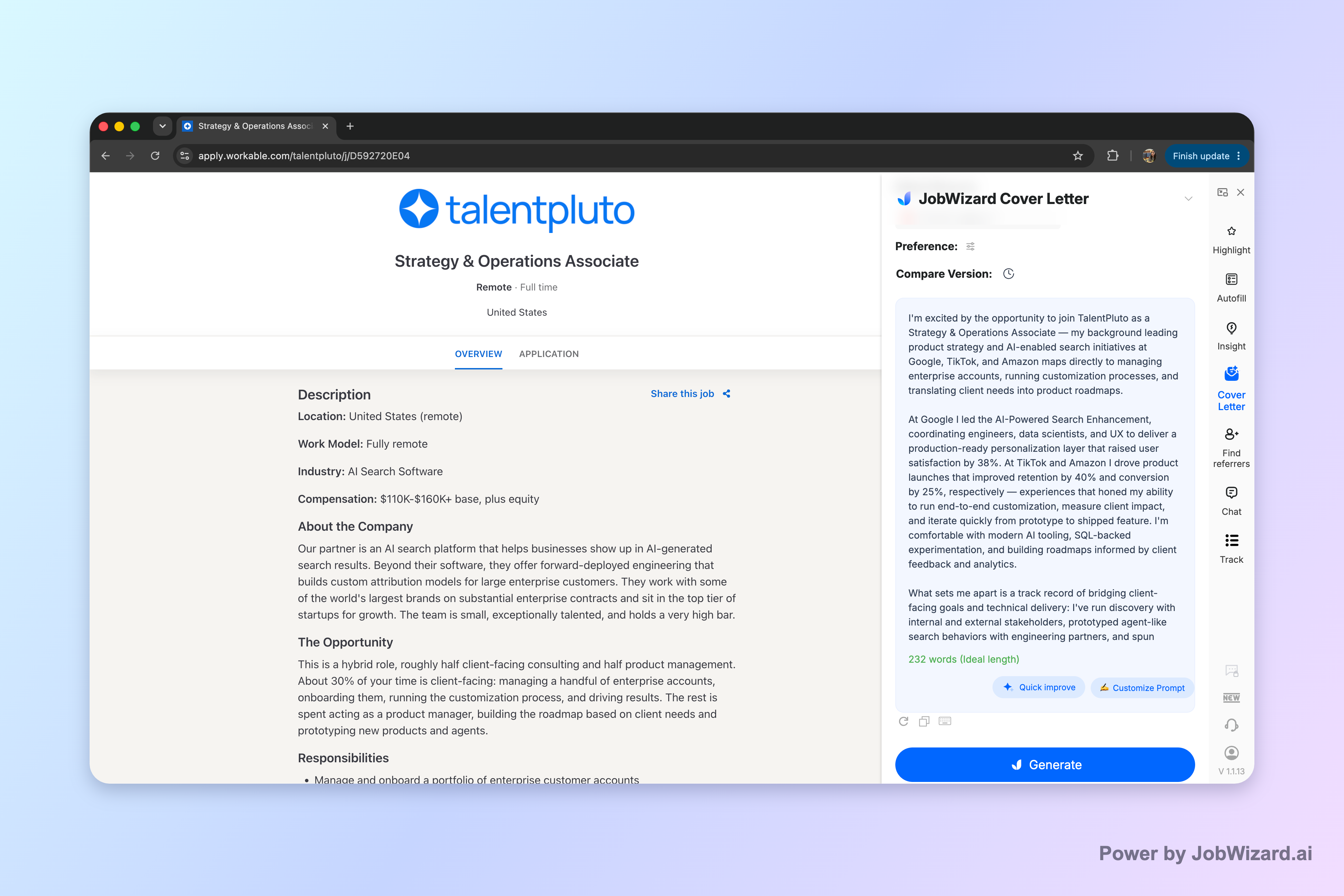
If you’re applying to teaching roles right now, JobWizard can help you generate an editable draft for the teaching cover letter you need. It uses your selected resume and the current job description to create a draft you can edit directly—so you can focus on the personal parts that matter most.
Use a teaching cover letter format that mirrors how districts evaluate candidates
A strong teaching cover letter format doesn’t just “sound nice”—it makes it easy for a hiring committee to see fit quickly. Aim for clarity: one page, skim-friendly paragraphs, and evidence tied to the posting.
What to put in each paragraph
- Paragraph 1 (match + intent): Name the role and describe what you teach (grade/subject) and how you approach students.
- Paragraph 2 (proof point): Add a concrete example from your experience that aligns with responsibilities in the posting.
- Paragraph 3 (instruction + support): Explain your classroom approach (differentiation, assessment, intervention supports, collaboration).
- Closing (next step): Thank them, restate enthusiasm, and invite an interview—keep it concise.
How to align your details to the job description
When you read a posting, pull out the “evaluation words”—the skills and priorities they repeat. Then choose 2–3 from the list below and make them the backbone of your letter.
- Instructional design: curriculum alignment, lesson planning, pacing guides, standards-based instruction
- Differentiation: scaffolds, accommodations, UDL, small groups, enrichment
- Assessment: formative checks, data use, progress monitoring, feedback loops
- Classroom culture: routines, behavior systems, restorative practices (if applicable)
- Collaboration: PLCs, co-teaching, families, special education support teams
- Student support: interventions, SEL supports, MTSS/RTI alignment (if relevant)
Write a teaching cover letter opening that doesn’t waste the first line
Your opening should earn attention fast. A hiring team doesn’t have time for compliments about “passion for education.” They want to know you understand the role and can do the work.
Opening formulas you can customize
Use one of these templates and replace the bracketed parts with specifics from the district and your background.
- Direct match: “I’m applying for the [Grade/Subject] Teacher position at [School/District]. In my current role, I focus on [instructional approach] and [student support method] to help learners make measurable progress.”
- Values + evidence: “I’m excited to apply for [Role] at [School/District]. My approach pairs structured instruction with student-centered supports—so learners who need extra scaffolding still experience real ownership of the work.”
- Community-first: “I’m applying for [Role] because [specific posting detail] matches how I teach and collaborate. I build classroom routines that reduce friction and strengthen participation from day one.”
Example: an opening that’s specific without sounding rehearsed
Here’s what “specific” looks like in a teaching cover letter opening (notice the concrete classroom angle, not just generic enthusiasm):
“I’m applying for the 6th Grade ELA Teacher role at Lincoln Middle School. I design lessons around standards and use short cycles of formative checks to guide small-group instruction—so students get targeted feedback before misconceptions become habits.”
Turn your experience into proof points the hiring committee can skim
The middle of your teaching cover letter should read like evidence, not autobiography. Use 2–3 proof points that correspond to responsibilities or priorities in the job description.
Pick proof points using this simple rule
For each proof point, include:
- Context: grade/subject, student needs, or program setting
- Action: what you did (your instructional move, intervention, collaboration)
- Impact you can stand behind: an outcome you’re comfortable claiming accurately (improvement in engagement, growth in mastery checks, stronger literacy routines, fewer behavior escalations, etc.)
Proof point examples you can adapt
- Differentiation example: “In reading workshops, I plan leveled mini-lessons and targeted conferences so students progress without losing access to grade-level texts. I also build in vocabulary and language supports for multilingual learners.”
- Assessment example: “I use quick formative assessments at the point of confusion—then reteach with a different strategy for the group that needs it most. This keeps progress monitoring honest and actionable.”
- Collaboration example: “I collaborate with special education and support teams during planning and intervention windows, so accommodations and goals are consistent across settings.”
- Classroom culture example: “I teach routines explicitly and build a behavior system that focuses on re-teaching expectations, not just consequences. The goal is predictable structure with room for student voice.”
Where JobWizard fits (and where you still do the work)
JobWizard can generate an editable draft using your selected resume and the current job description. Before you submit, you’ll need to review the letter and add genuine personal details—especially any district-specific priorities, sponsorship/salary/EEO items, or custom questions included in the application flow.
That review-before-submit step is exactly what makes a teaching cover letter effective: the draft gives structure and wording momentum, and you supply the authenticity.
If you want an even tighter workflow, start with JobWizard to draft the letter, then compare it line-by-line with the job posting using your own notes. You can also use AI guidance for “sounds like you” editing—then keep the final responsibility on facts and your real experience.
For additional coverage beyond teaching-specific letters, you may also find these helpful:
- How to Write a Cover Letter with AI (Step-by-Step That Still Sounds Like You)
- Cover Letter for Teaching Position: A Confident Template That Sounds Like You (Plus AI Draft Steps)
- Resume vs Cover Letter: What to Send (and When) to Get Past ATS
Customize fast: a district-specific checklist for your teaching cover letter
You don’t need a full rewrite for every application—you need targeted changes. Use this checklist to customize your teaching cover letter in a way that’s noticeable to readers.
District-specific edits to make before you send
- Replace the school details: Swap in the actual school name, role title, and any program specifics mentioned in the posting.
- Mirror the posting’s priorities: Add one sentence that directly reflects 1–2 recurring priorities (not just a general “I value education”).
- Adjust the tone to match you: If your usual voice is warm and direct, don’t let the letter sound robotic or overly formal.
- Confirm accuracy: Make sure every claim matches your resume and your lived experience.
- Keep it skimmable: Short paragraphs, clear proof points, and a closing that invites next steps.
Common teaching cover letter pitfalls (and fixes)
- Pitfall: repeating the resume bullet-by-bullet. Fix: choose 2–3 moments and explain the instructional decisions behind them.
- Pitfall: vague impact statements. Fix: use outcomes you can stand behind and connect them to your methods.
- Pitfall: ignoring differentiation/support responsibilities. Fix: include a paragraph that explains how you support different learners.
- Pitfall: forgetting the tone of a teacher. Fix: write like you speak—clear, respectful, and student-centered.
Optional: a “sounds like you” pass in JobWizard
If you’re drafting from scratch, generate an editable letter first, then rework it to match your natural voice. Don’t aim for “perfect AI.” Aim for “credible and specific”—the hiring committee should feel your teaching mindset in the wording.
If you’re also applying outside K-12 or exploring adjacent roles, you can adapt the same proof-point approach used in other cover letter styles. For example, the structure mindset in How to Write a Consulting Cover Letter That Sounds Like You (and Gets Read) can help you sharpen your evidence and clarity—then you add teaching-specific instructional detail.
Do this automatically with JobWizard
Skip the manual work — JobWizard's AI Cover Letters handles this for you.
FAQ: Teaching cover letter questions hiring teams ask most often
What should I include in a teaching cover letter?
Include (1) a strong opening that names the role and your teaching focus, (2) 2–3 proof points tied to the job description (achievement, support you provide, or instructional outcomes), (3) your classroom approach and differentiations, and (4) a closing that invites an interview and references your attached materials.
How do I make an AI teaching cover letter sound like me?
Treat the draft as structure, not your final voice. Replace any generic lines with specifics from your experience (students, grade level, curriculum, results you can stand behind), adjust tone to match how you communicate, and add 1–2 sentences that only you could write.
Should I use a template for a teaching cover letter?
Yes—use a template for organization, then customize. Map each paragraph to a detail from the job posting (skills, responsibilities, and school priorities) so the letter reads like it was written for that district, not copied from a bank of letters.
How long should a teaching cover letter be?
Aim for a focused, easy-to-skim page length. If the posting doesn’t specify a limit, prioritize clarity over word count: 3 short paragraphs plus a concise closing is usually enough to cover role fit without repeating your resume.
Do I still need to edit a JobWizard teaching cover letter draft before submitting?
Yes. JobWizard generates an editable cover letter draft using your selected resume and the current job description. Before using it, you must review facts and add genuine personal details (especially district-specific priorities, experiences, and any custom questions) so it’s accurate and truly yours.
Ready to write a teaching cover letter that reads like you? Use JobWizard to generate an editable first draft for the current job description—then review, personalize, and submit with confidence.
Frequently Asked Questions
Generate this cover letter automatically
JobWizard drafts a tailored letter from your resume and the job description in seconds — free.