How to Answer an Email for a Job Interview: Templates, Timing, and Reply Checklist
Learn how to answer an email for a job interview with clear, recruiter-friendly templates, a reply timing plan, and a checklist for what to confirm before you send.
Free Chrome extension
Let AI answer these questions for you
JobWizard fills sponsorship, work-auth, and availability answers correctly on every application — free.
How to answer an email for a job interview starts with speed, clarity, and confirming the details
If you’re wondering how to answer an email for a job interview, the goal is simple: respond quickly, confirm you received the logistics, and make it easy for the recruiter to move forward. A strong reply signals professionalism—even before the interview begins.
Before you write, scan the email for date/time, location or video link, interview format, and what they want you to bring (if anything). Then choose one of the situations below—your wording will match your intent.
Use a reply-first structure so your message sounds confident (not rushed)
The fastest way to nail how to answer an email for a job interview is to structure your response around outcomes: confirm attendance, lock in logistics, and set up next steps. You’re not writing a long essay—you’re removing uncertainty.
1) Opening line: thank them + confirm the invite
Start with appreciation and acknowledgment. Keep it warm, direct, and specific.
- Thank you + confirmation: “Thank you for the invitation—I’m looking forward to speaking with you about the [Job Title] role.”
- Receipt + next step: “I received your email and confirm my interview on [Date] at [Time].”
2) Logistics line: confirm format, time, and location/link
Recruiters want fewer follow-up emails. Mirror the details they gave you so there’s no ambiguity.
- In-person: include address/building name if provided.
- Video: confirm the platform or the link they referenced (and suggest you’ll test audio/video if appropriate).
- Phone: restate the time and confirm the number they should call (if needed).
3) Optional line: ask 1–3 brief questions
If the email doesn’t cover logistics clearly, you can add questions—just keep them short. Think “helpful” rather than “demanding.”
- Logistics: “Will this be a video interview, and is there anything I should review beforehand?”
- Structure: “Could you share who I’ll be speaking with and the approximate interview format?”
- Focus: “What skills or experiences would you most like me to discuss?”
4) Close: confirm readiness and appreciation
End with a calm, professional finish that reinforces that you’re ready to proceed.
- Ready + next step: “Thanks again—looking forward to our conversation. Please let me know if you need anything from me in advance.”
Pick the right template depending on what the interviewer asked you to do
Different interview emails require different answers. Below are ready-to-use versions you can adapt in minutes—use the one that matches your situation.
Template A: You can attend as scheduled (confirmation + readiness)
Subject: Interview Confirmation – [Job Title]
Hi [Interviewer Name], Thank you for reaching out and for the opportunity to interview for the [Job Title] role. I’m looking forward to speaking with you.
I confirm my interview on [Day, Date] at [Time] [Time Zone]. The meeting will take place via [video link/platform / phone call / in-person at location].
If there’s anything you’d like me to review or prepare in advance, please let me know. Thanks again for your time. Best regards, [Your Name] [Phone Number]
Template B: You need to reschedule (polite reason + alternatives)
Subject: Interview Scheduling – [Job Title]
Hi [Interviewer Name], Thank you for the invitation to interview for the [Job Title] role. I’m excited about the opportunity.
Unfortunately, I have a conflict at the proposed time on [Day, Date]. Would it be possible to move to one of the following options? • [Option 1: Day, Date, Time] • [Option 2: Day, Date, Time]
If neither works, I’m happy to adjust—please share what times are best on your end. Thanks again, and I look forward to speaking with you. Best regards, [Your Name]
Template C: They ask you to confirm availability (quick response with dates)
Subject: Availability Confirmation – [Job Title]
Hi [Interviewer Name], Thank you for contacting me regarding the [Job Title] interview.
My availability is as follows (all times [Time Zone]): • [Day, Date] – [Time Range] • [Day, Date] – [Time Range] • [Day, Date] – [Time Range]
Please let me know which time works best, and I’ll confirm right away. Looking forward to the conversation. Best regards, [Your Name]
Template D: They didn’t include details (request logistics respectfully)
Subject: Interview Details – [Job Title]
Hi [Interviewer Name], Thank you for the invitation to interview for the [Job Title] role. I’m looking forward to speaking with you.
Could you please share a few details so I can prepare? Specifically: 1) the interview date/time (and time zone), 2) whether it will be in-person, phone, or video, and 3) who I’ll be meeting (if known).
Once I have that information, I’ll confirm my availability. Thank you again. Best regards, [Your Name]
Template E: The email is short and asks “Are you available?” (minimal + helpful)
Subject: Re: Interview – [Job Title]
Hi [Interviewer Name], Thank you for reaching out. Yes—I’m available for an interview on [Option 1] or [Option 2] ([Time Zone]).
Please confirm which time you’d prefer, and let me know the interview format (video/phone/in-person). Best regards, [Your Name]
Answer with a checklist: what to confirm before you hit send
To consistently succeed at how to answer an email for a job interview, treat your reply like a short quality review. The goal is to prevent avoidable errors.
Before sending, double-check:
- Date/time + time zone: Make sure you matched what they wrote (or clearly specify yours).
- Format: confirm video vs. phone vs. in-person.
- Location/link: restate the address or video link details if provided.
- Attachments or prep: include anything they asked for (portfolio, work samples, references) and confirm if none were requested.
- Contact info: ensure your phone number is correct in case they call or verify.
Things to avoid (even if you’re excited)
- Over-explaining: long personal stories usually don’t belong in the first reply.
- Unclear availability: if rescheduling, always include at least two alternatives.
- Generic questions: avoid “Tell me about the company” unless the email invites open discussion.
Make your questions work for you—without derailing the interview timeline
When done well, your interview reply questions help you prepare faster and show you think like the role requires. But the key is to keep them brief and relevant to the conversation.
What to ask (high value, low friction)
- Interview structure: “Who will be joining the interview?”
- Focus areas: “What topics or skills should I be ready to discuss?”
- Logistics: “Is there any platform or prep material I should review beforehand?”
- Success criteria: “What does success look like in the first 30–90 days?”
How to keep it recruiter-friendly
If the interviewer asked you to respond with availability, prioritize that. If details were missing, ask for them in one short paragraph. If everything is clear, include one optional question and close.
Optional improvement: use role-context to craft better follow-up questions
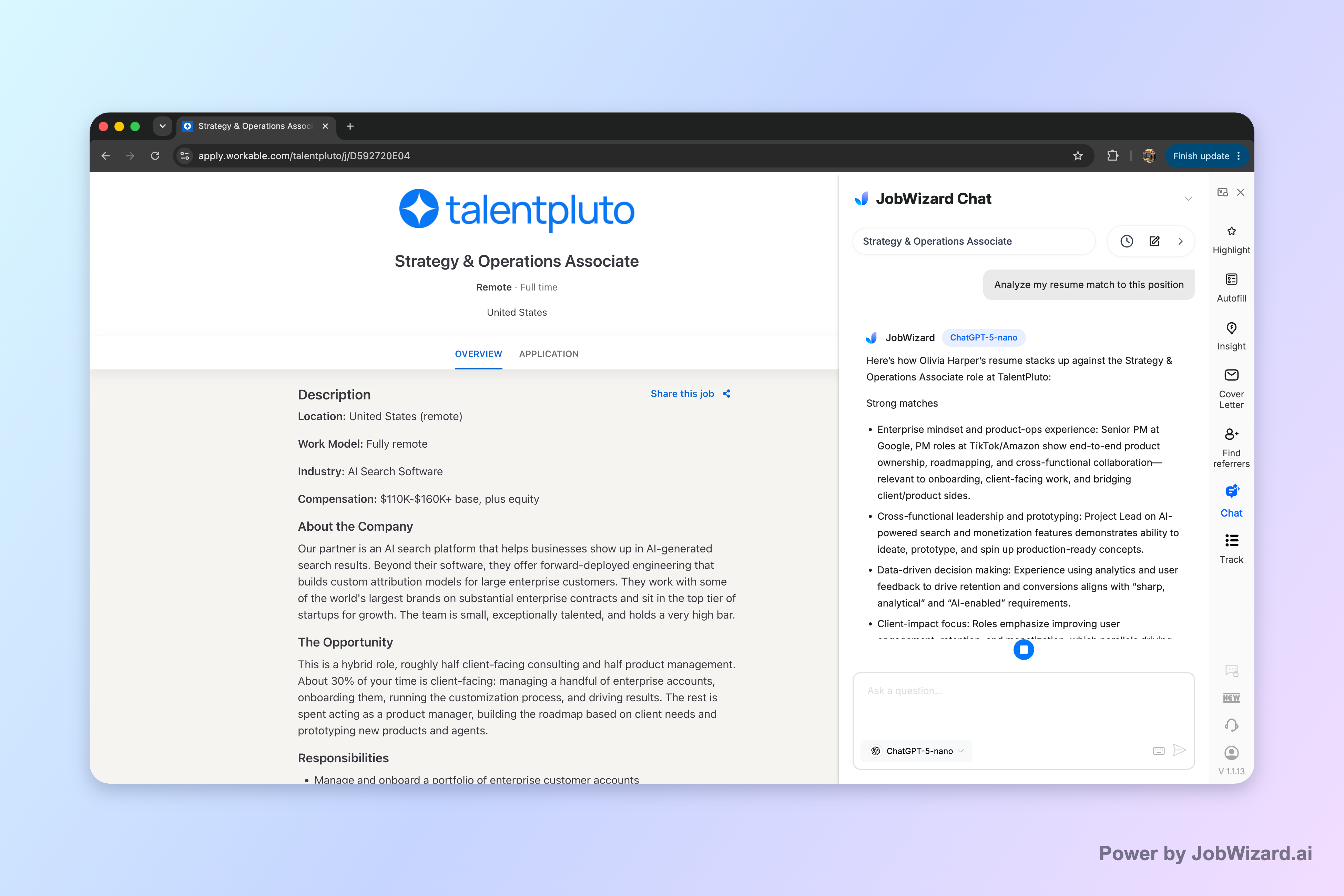
Job seekers often ask better questions when they keep the role context intact—without pasting the entire job description into every message. With Career Chat, JobWizard keeps the current role in context so you can ask follow-up questions about resume fit and application strategy without repeatedly copying the job description. (It’s still your responsibility to review and verify anything you plan to communicate.)
Reminder: Career Chat helps you ask smarter follow-up questions, but it doesn’t guarantee you qualify or replace your own review of the role details.
Do this automatically with JobWizard
Skip the manual work — JobWizard's Smart Autofill handles this for you.
FAQ: how to answer an email for a job interview
How fast should I reply to a job interview email?
Reply as soon as you can—ideally within 24 hours on business days. If you need time to check your schedule, send a quick note confirming you saw the email and that you’ll respond with availability shortly.
What should I say in my first sentence when responding to the interviewer?
Start by thanking them and confirming the interview request, for example: “Thank you for the invitation—I’m looking forward to speaking with you about the [Job Title] role.” Then add one line that confirms you received the details (date/time or next steps).
How do I ask to reschedule without sounding careless?
Use a respectful reason and propose alternatives. Example: “Thank you for the proposed time. Unfortunately I have a conflict at that time, but I’m available on [Option 1] or [Option 2]. If those don’t work, I can adjust—please share what you prefer.”
Should I include questions in my interview reply email?
Yes—keep them brief and relevant. Ask about logistics (format/location), interview structure (who you’ll meet), or the focus areas (what success looks like in the first 90 days). Save deeper questions for later, unless the email specifically invites them.
What’s a safe close for a job interview email response?
Close with appreciation, confirmation, and readiness. Example: “Thanks again for your time. I look forward to our conversation, and I’ll be prepared for [in-person/phone/video] at [time/date]. Please let me know if there’s anything you’d like me to review in advance.”
Ready to reply faster and with better role-fit questions? Start with JobWizard and use Career Chat to keep the role context handy while you draft a clean, recruiter-friendly response—then review everything before you send.
Want to tighten the rest of your communication too? Explore how to answer to an interview email with a reply-first plan for clear next steps, and if you’re juggling application messaging, use a field-tested method for answering job application questions and recruiter-ready scripts for answering availability while staying flexible. If your interview process includes behavioral questions, review behavioral interview questions for healthcare professionals—how to answer with evidence.
Frequently Asked Questions
Let AI answer these questions for you
JobWizard fills sponsorship, work-auth, and availability answers correctly on every application — free.