What does active candidate mean on Workday? The exact status + what to do next
Wondering what does active candidate mean on Workday? Learn what that status usually signals, when it updates, and how to respond with confidence—using JobWizard’s autofill workflow so you can review every answer before submitting.
Free Chrome extension
Track all your applications in one place
JobWizard auto-tracks status changes across Workday, Greenhouse, and every major job site — free.
You submitted your application, checked Workday again, and saw “Active Candidate” next to your profile. It feels promising—but also vague enough that you’re not sure whether to celebrate or wait.
This guide explains what does active candidate mean on Workday, what it usually signals in the recruiting workflow, and what you can do next to improve your odds—without guessing.
What does “Active Candidate” mean on Workday?
Active Candidate typically means you’re currently in the employer’s active recruiting pipeline for that role, not permanently closed out.
In most Workday-based hiring flows, candidate statuses are used to track where someone sits in the process. When you see “Active Candidate,” it generally indicates that your application is still being considered or managed by the recruiting team or system—rather than being rejected or archived.
Important nuance: “Active Candidate” usually does not guarantee that a recruiter has finished reviewing your application, scheduled an interview, or decided to move you forward. It’s best treated as “still in play.”
Key takeaway: “Active Candidate” is a pipeline indicator—often good news, but not an interview guarantee.
What does “Active Candidate” mean on Workday vs “Rejected”?
Active Candidate generally means you haven’t been closed out, unlike statuses that indicate rejection.
While exact labels vary by employer, rejected/closed statuses normally indicate the process moved on (for example, the role is filled, you’re not being considered, or the recruiter decided not to proceed). Seeing “Active Candidate” instead suggests your record still sits within active consideration and workflow management.
If you previously saw your status change and you’re now back to “Active Candidate,” it can also mean the employer revised or resumed workflow steps. In that case, the safest move is to keep monitoring for messages and prepare for potential recruiter contact.
Key takeaway: “Active Candidate” usually means you remain eligible for next steps—so you should stay responsive.
Is “Active Candidate” the same as “Under Review” on Workday?
Not always. “Active Candidate” can overlap with “under review,” but it isn’t always the exact same stage across companies.
Different employers configure their Workday recruiting workflows differently. Some companies use “Active Candidate” as a broad umbrella status while others show more granular labels (like stages that correspond to review, screening, interview, or hiring decisions).
How to interpret it in practice:
- Check for additional stage text: If there’s a second line, stage name, or timestamp, use that to infer the immediate workflow step.
- Look for updates over time: If the status changes to a more specific label later, that’s your clearest clue about progression.
- Don’t assume “reviewed”: “Active Candidate” often means the system/recruiter is managing you—not that reading is complete.
Key takeaway: Use all visible details, not the label alone, to decide whether you’re in “review” vs a broader pipeline state.
What does “Active Candidate” mean on Workday for internal vs external applicants?
Active Candidate can be used for different applicant types, but the meaning is still typically “in the active pipeline.”
Whether you’re an internal transfer, a referral, or an external candidate, Workday status labels often remain similar: they reflect the recruiting workflow state. However, internal candidates may have different timelines or fewer steps, because they may already be known to the employer’s HR processes.
If you see “Active Candidate” and you’re unsure how quickly you should expect movement, treat it as “actively tracked” and keep your communications professional and timely if a recruiter reaches out.
Key takeaway: Regardless of applicant type, “Active Candidate” usually means your file remains in motion.
What does “Active Candidate” mean on Workday if the job is still “Open”?
Active Candidate while the job remains open usually means the role is still accepting consideration and your application hasn’t been sidelined.
Many employers keep a requisition open while they review multiple candidates and schedule interviews. In that context, “Active Candidate” often indicates you’re among those being actively managed for the role.
This scenario matters because it changes your expectations. If the job is still open, it’s more likely that status changes will occur as recruiters progress the short list rather than because the role was closed out.
Key takeaway: If the requisition is still open, “Active Candidate” often reflects ongoing workflow activity.
What does “Active Candidate” mean on Workday if you applied days ago vs weeks ago?
Timing affects interpretation—the label can be the same, but your next step may differ depending on how long you’ve been waiting.
If you applied recently, “Active Candidate” may reflect that your application has been received and placed into active workflow quickly. Recruiters may then review later, after initial screening or batching.
If you applied weeks ago and the label hasn’t changed, it can still be normal. Some teams move candidates in batches rather than immediately. If you’re approaching the role’s expected hiring timeline (or you’re beyond it), a concise follow-up is often reasonable.
Key takeaway: Use elapsed time to decide between “wait and monitor” vs “send a brief check-in.”
What does “Active Candidate” mean on Workday when you submitted a referral?
Active Candidate after a referral typically indicates the employer still tracks your application as actively considered.
Referrals don’t automatically override status logic. Even with a referral, employers often keep the workflow consistent: applications land in recruiting systems, then candidates move through structured stages. “Active Candidate” generally means you’re in that active set.
Because referral channels can sometimes add internal visibility, it may help to ensure your materials are clean and consistent (resume, work history details, and any responses you provided). If the recruiter asks follow-up questions, you’ll be ready.
Key takeaway: Treat “Active Candidate” the same way—stay prepared and responsive.
How can you tell what to do next when Workday says “Active Candidate”?
Use your next action checklist based on what you can see and what you haven’t done yet.
Because “Active Candidate” is a higher-level status, the best approach is to combine it with observable signals: messages, tasks, profile completeness, and elapsed time.
| What you see on Workday | What it usually means | Recommended action |
|---|---|---|
| Active Candidate with no new messages | You’re still in the active pipeline, but no next-step has been triggered publicly yet. | Monitor Workday and your email; keep availability ready. |
| Active Candidate + recruiter message or request | The recruiter has moved beyond the “status-only” phase for you. | Respond quickly and provide accurate details (availability, documents, or clarifications). |
| Active Candidate for several weeks | Possible batch review; you may not see stage changes every day. | Send a short follow-up if it’s been a while, and keep your application materials updated. |
| Job still shows as open | The requisition hasn’t closed; your consideration likely continues alongside others. | Stay engaged; follow up appropriately if timeline passes. |
| Your profile/application is missing required info prompts | The application may not be fully complete from the system’s perspective. | Confirm everything needed is filled; if you apply again, ensure all required answers are accurate. |
Key takeaway: Your “next step” should depend on messages and timing—not just the word “Active.”
When should you send a follow-up email after “Active Candidate” appears?
A follow-up is most useful when you’ve waited enough time to justify it and you have no new messages.
Because candidate statuses can remain stable while recruiters batch-review candidates, the question isn’t “Is Active Candidate good?”—it’s “Has enough time passed that a check-in is appropriate?”
When you do follow up, keep it simple, specific, and professional. You want to help the recruiter move faster, not pressure them.
Copy-paste follow-up email (for Workday “Active Candidate”):
Subject: Follow-up on [Role Title] application — [Your Name]
Hi [Recruiter Name/Team],
I hope you’re doing well. I’m following up on my application for the [Role Title] position submitted on [Date]. My Workday status shows “Active Candidate,” and I remain very interested in the role.
If it would be helpful, I’m happy to share any additional information. Thank you for your time and consideration, and I look forward to hearing from you.
Best regards,[Your Name][Phone Number] | [LinkedIn or Portfolio]
Key takeaway: A good follow-up is short, specific, and respectful—especially when status is still “Active Candidate.”
How can JobWizard help you apply more completely while you wait?
JobWizard helps you move faster on repetitive fields so you can review every answer before you submit.
When you’re in an “Active Candidate” waiting phase, it can be tempting to stop everything and just hope. But most job seekers also keep applying to targeted roles to avoid long gaps.
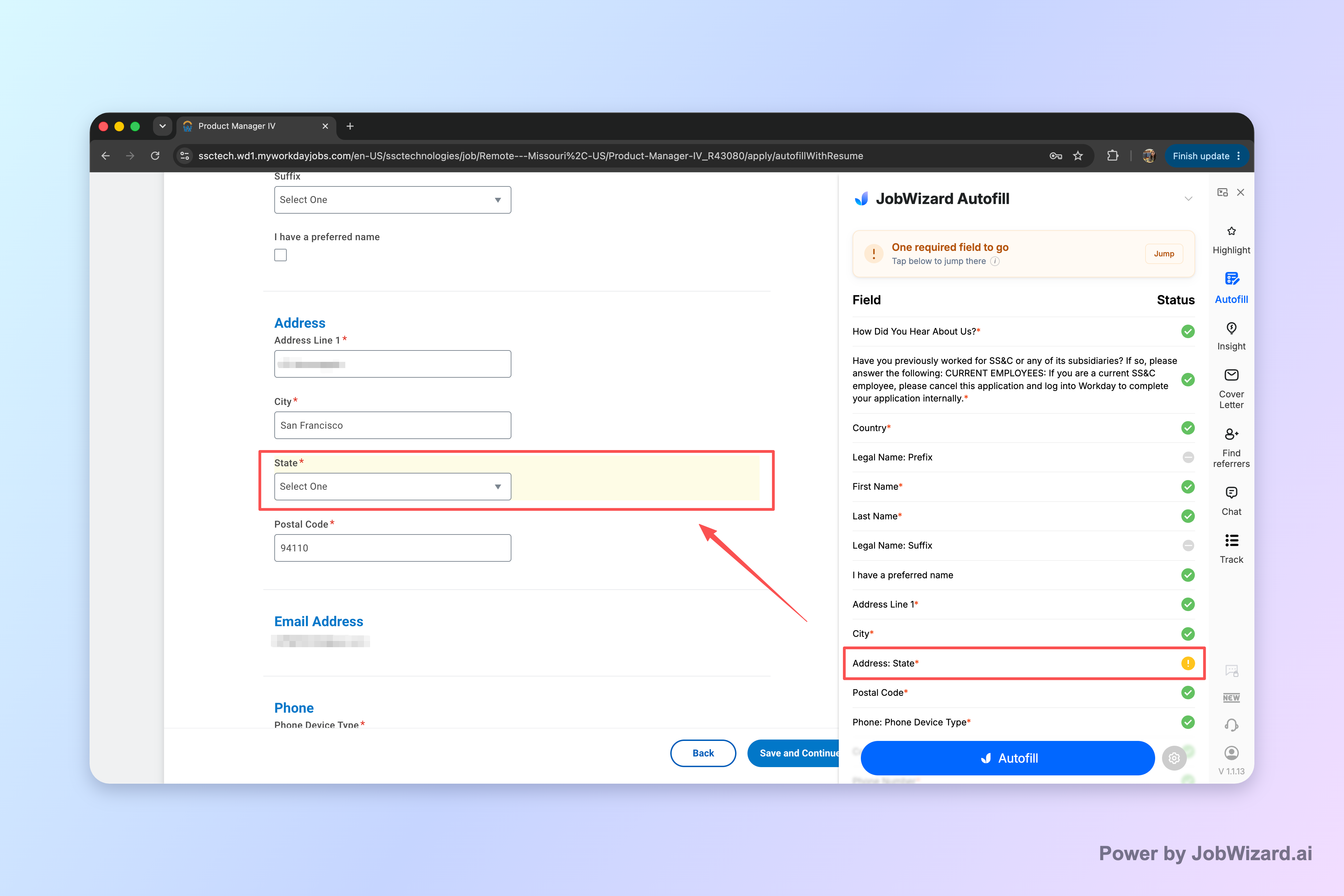
JobWizard’s Smart Autofill is designed to fill detected fields on supported application pages using saved profile and resume data. The key point: you review the populated fields and submit the application yourself. If a required field still needs attention, JobWizard can identify it and let you jump to the matching question—so you don’t miss what matters.
To put those mechanics in context, here’s a practical workflow you can use while you wait for Workday updates:
- Pick the next best role: Prioritize positions aligned to your experience and keywords from the posting.
- Use Smart Autofill: Let it complete the repetitive fields on the application form.
- Review-before-submit: Scan every section, especially sponsorship/compensation-related items and custom questions.
- Jump to missing required fields: If something needs attention, go directly to that question and correct it.
- Submit yourself: Confirm everything is accurate, then submit.
Across all applications submitted through JobWizard, 720,000+ applications were submitted and 600,000+ autofill sessions were run in aggregate. On average, JobWizard autofills about ~18 repetitive fields per application (typically 11–23), and the largest time-savings typically occur on Workday workflows—so if your next applications are Workday-based, this can be especially helpful while you wait on “Active Candidate” updates.
Key takeaway: JobWizard doesn’t replace your decision-making—it accelerates the busywork so you can keep applying with confidence.
What else should you do while your Workday status is “Active Candidate”?
Stay proactive without overreacting—your best leverage comes from readiness and follow-through.
“Active Candidate” is often a sign that your application is still on someone’s radar, but recruiting timelines can still be slow. Instead of refreshing obsessively, focus on activities that keep you moving forward regardless of status changes.
- Prepare a shortlist of stories: You may be asked behavioral questions once an interview moves from pipeline to scheduling.
- Keep availability current: If you might need to adjust work hours or interviews, know your “yes” and “maybe” windows.
- Track your applications: Note role title, application date, and any status changes so you can follow up at the right time.
- Apply to additional roles: A status label is not a plan—keep your pipeline healthy with targeted applications.
If you’re applying again soon, use a repeatable process: autofill repetitive items, review carefully, and submit yourself. That approach supports accuracy—especially for required or custom questions.
Key takeaway: While you wait, preparation + continued targeted applications beat passive waiting.
Do this automatically with JobWizard
Skip the manual work — JobWizard's Smart Autofill handles this for you. On these platforms: Workday autofill.
FAQ: Workday “Active Candidate” meaning and next steps
What does “Active Candidate” mean on Workday?
“Active Candidate” generally means your profile and/or application is in the employer’s active pipeline—i.e., it hasn’t been fully rejected or closed out. It doesn’t automatically mean you were accepted or scheduled; it often just indicates the recruiter/system is still actively considering or working your application. The best next step is to watch for any follow-up prompts and, if appropriate, send a short, professional check-in.
Is “Active Candidate” the same as “Under Review” on Workday?
Often, “Active Candidate” overlaps with stages like “under review,” but it isn’t always the exact same label across every company or tenant. Some employers use “Active Candidate” as an umbrella status, while others reserve more specific labels (like under review, interview, or offer). If your screen shows additional details (stage name, job requisition progress, or timestamps), use those to determine what’s happening right now.
Does “Active Candidate” mean I’ll get an interview?
Not necessarily. “Active Candidate” typically means you’re still in an active set of candidates, not that an interview is confirmed. Interview decisions usually depend on additional criteria and later workflow steps. Treat it as a positive sign that you haven’t been automatically closed out—then prepare for the possibility by keeping your availability and key details ready.
What should I do if my Workday status says “Active Candidate”?
First, review any tasks or messages in Workday and keep an eye out for emails tied to the application. Second, make sure your contact details are current. Third, if enough time has passed without a response (based on the employer’s typical hiring timeline), send a brief follow-up message. If you’re applying to multiple roles, keep your materials consistent and targeted so you’re ready for any recruiter request.
How long does Workday take to change from “Active Candidate” to the next status?
Workday status timing varies by employer, team workload, and how their recruiting workflow is configured. In practice, you may see updates only when a recruiter moves candidates to the next workflow stage, not continuously. The most useful approach is to note the date you went into “Active Candidate,” then check periodically while also preparing follow-ups and keeping your application materials fresh.
Can my status say “Active Candidate” even if the company hasn't looked at my application yet?
Yes, that can happen. Some systems set high-level statuses automatically when an application is received, while recruiters may review later or move candidates through stages as time allows. “Active Candidate” may reflect the workflow state (received and still in consideration) rather than a confirmation that someone has already read everything. If you need certainty, a polite follow-up can help you get clarity.
Should I send a follow-up email when my Workday status is “Active Candidate”?
If you’re still within a reasonable window and you haven’t heard back, a short follow-up can be appropriate—especially if the role is a strong match. Keep it concise: remind them which role you applied for, re-express interest, and ask if there’s any additional information you can provide. Avoid sounding impatient; “Active Candidate” suggests you’re still in the pipeline, so a calm check-in is usually best.
Will JobWizard help with Workday applications once the status changes to “Active Candidate”?
JobWizard can help you submit strong, complete applications faster by autofilling repetitive fields and letting you review each answer before you submit. It doesn’t control Workday statuses after submission. Once you see “Active Candidate,” the relevant actions are monitoring messages and following up appropriately, while keeping your application details accurate for any recruiter questions.
Ready to apply faster while you wait on Workday?
Use JobWizard to autofill repetitive fields and review everything before you submit—so you can keep your pipeline moving while your Workday status stays “Active Candidate.”
Try Smart Autofill on your next application, jump to any missing required fields, and submit yourself with confidence.
Frequently Asked Questions
Track all your applications in one place
JobWizard auto-tracks status changes across Workday, Greenhouse, and every major job site — free.