Best Resume Tailoring AI: How to Use JD Match Scores to Tailor Fast Without Guessing
Looking for the best resume tailoring ai? Use JobWizard Insight to compare your resume to the job description, score the match, and generate an editable revision draft you can verify before submitting.
Free Chrome extension
See your resume's match score for any job
JobWizard compares your resume to each job description and shows the exact keywords to add — free.
Best resume tailoring ai should help you stop guessing how your resume “fits” a job description—and instead show you what to change and why.
If you’ve ever wondered why ATS systems seem to ignore your experience, the issue is often expression gaps: keywords and phrasing in the job description that aren’t clearly reflected in your resume. JobWizard Insight is built for that exact workflow: compare your resume to the job description, see a match score and improvement suggestions, and generate a draft you can review.
How JobWizard Insight creates a JD-based match score (and what it can do for tailoring)
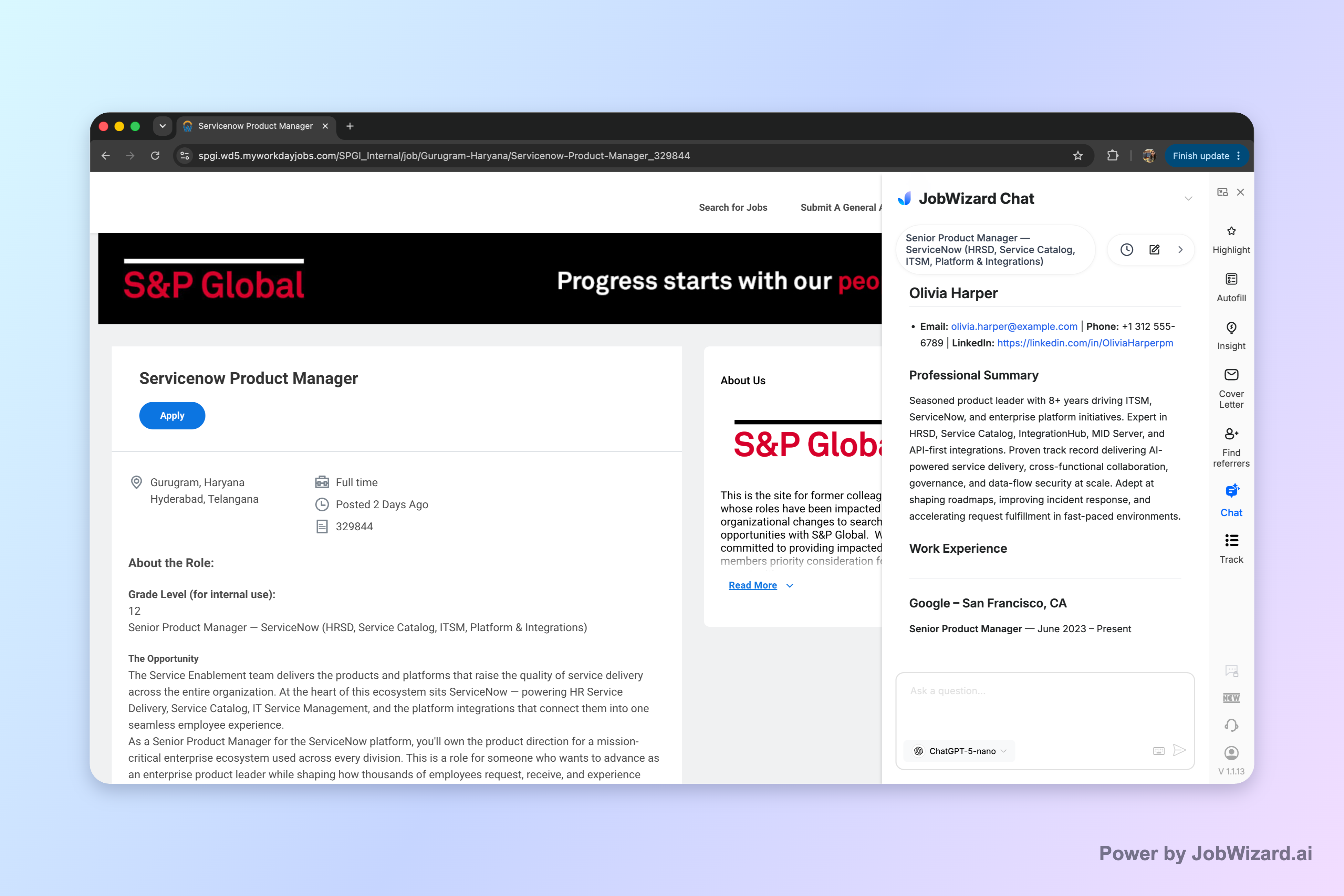
JobWizard Insight compares your selected resume with the current job description and turns the results into a practical tailoring plan.
In practice, Insight provides an overall assessment plus a match score, along with improvement suggestions. That helps you focus on the parts of your resume that need clearer alignment—rather than rewriting everything from scratch.
It also supports a “gap to draft” loop. The JD-based diagnosis can identify resume expression gaps and turn them into an editable resume revision draft. That means you can quickly see a tailored version while still keeping control over what you actually submit.
Key limitation: the score is not a hiring probability and does not guarantee ATS passage or an interview. Treat it as a diagnostic signal, not a promise.
Use JD match scores as a review checklist (not a blind rewrite)
The right way to tailor is to use AI suggestions as inputs—then verify them line-by-line before you submit anything.
JobWizard’s approach is designed around “autofill + review-before-submit” thinking: repetitive, structured details can be filled quickly, while the user stays responsible for the final accuracy decisions. For tailoring specifically, that translates into reviewing the draft for truth, clarity, and completeness.
After you get the match score and improvement suggestions, run this quick checklist:
- Confirm each change is accurate: keep only experience that reflects what you actually did.
- Match the job description’s language (when true): adjust phrasing and emphasis so your resume communicates the same skills.
- Protect your specifics: sponsorship/salary/EEO/custom questions (where relevant) must be handled carefully based on your situation.
Key limitation to remember: you must verify every suggested resume change and keep only accurate experience. Even strong tailoring output can include wording you shouldn’t use if it doesn’t match your background.
Best resume tailoring ai workflows: from “gaps” to an editable revision draft
Good resume tailoring AI should help you go from diagnosis to a revision you can edit, not just a list of generic tips.
Here’s the most effective workflow to aim for when evaluating “best resume tailoring ai” tools:
- Start with the exact job description: use the specific posting you’re applying to so the match is JD-based.
- Compare against your selected resume: look for where your current wording doesn’t express relevant skills.
- Translate gaps into edits: use the suggestions to create or refine bullet points and summaries that reflect your real achievements.
- Review-before-submit: verify accuracy, then apply only the changes that make sense for your experience.
With JobWizard Insight, the JD-based diagnosis can identify resume expression gaps and turn them into an editable resume revision draft. That’s the practical advantage: you’re not starting from a blank page, and you’re not locked into suggestions you didn’t choose.
What to take away: the value is not the score by itself—it’s the JD-driven gap diagnosis that becomes editable tailoring you can review.
Is it “best” for you? Choose the tailoring AI that matches your level of control
The best resume tailoring ai depends on whether you want fast guidance with you in the driver’s seat.
When you’re tailoring for competitive roles, you usually need two things at once: (1) a way to identify what’s missing relative to the job description, and (2) a way to update your resume without losing accuracy. Insight’s JD-based match score and improvement suggestions are designed to support that workflow, with an explicit expectation that you review everything before using it.
Also keep perspective: a match score is an insight tool and does not guarantee ATS passage or an interview. Your final responsibility is to ensure the content is accurate to your experience.
Ready to try a JD-based comparison? Compare your resume against the specific job description and review the identified gaps to create a tailored, accurate draft you’re comfortable submitting.
Do this automatically with JobWizard
Skip the manual work — JobWizard's Smart Autofill handles this for you.
FAQ: Best resume tailoring AI questions job seekers ask
Is a match score the same thing as guaranteed interview odds?
No. The match score is an insight tool and does not represent hiring probability or guarantee ATS passage or an interview—you still need to review and apply accurate changes.
What does JD-based diagnosis do in JobWizard Insight?
It compares your selected resume with the current job description and provides an overall assessment, a match score, and improvement suggestions. The JD-based diagnosis can also identify expression gaps and turn them into an editable resume revision draft.
Do I have to blindly accept AI-written resume changes?
No. You must verify every suggested resume change and keep only experience that’s accurate to you.
What should I do after I review the suggested edits?
Use the identified gaps as a checklist: update only what’s true, rewrite experience to reflect your real impact, and then keep the final version ready for submission based on the specific job description.
Frequently Asked Questions
See your resume's match score for any job
JobWizard compares your resume to each job description and shows the exact keywords to add — free.