AI Resume Tailoring Tools: How to Turn Job Descriptions into a Verified ATS-Ready Draft
AI resume tailoring tools can surface skills gaps and generate an editable revision draft—if you use them as a match-and-verify workflow. Learn how to tailor without over-editing.
Free Chrome extension
See your resume's match score for any job
JobWizard compares your resume to each job description and shows the exact keywords to add — free.
Hiring managers don’t just skim resumes—they compare your experience to the exact job description they’re hiring for. That’s where ai resume tailoring tools come in: they help you diagnose skills gaps and produce an editable resume revision draft so you can tailor faster without losing accuracy.
In this guide, you’ll learn how to use ai resume tailoring tools like a match-and-verify workflow: you’ll review what the tool finds, choose the edits you can stand behind, and submit a resume that stays truthful to your background.
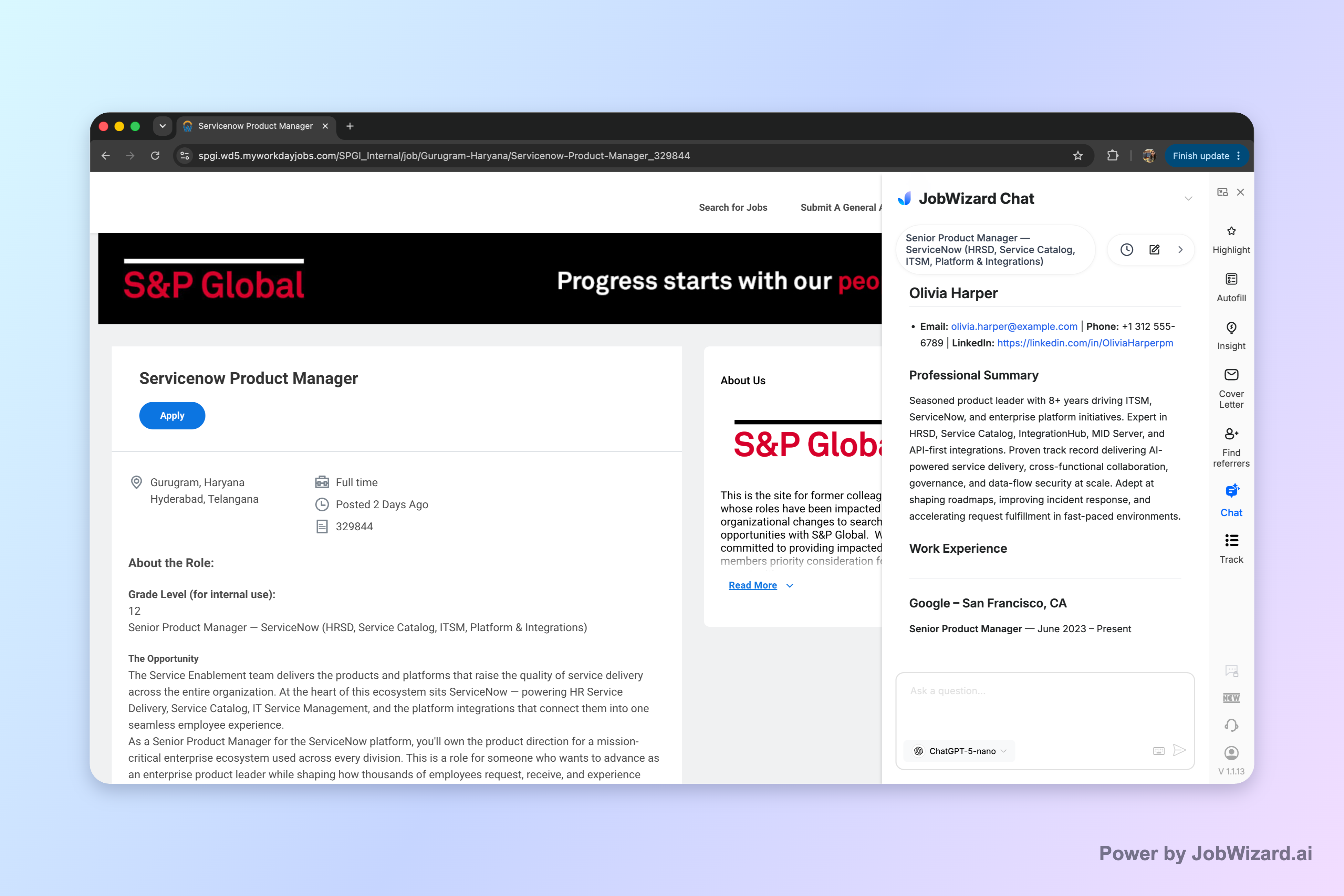
What “AI resume tailoring tools” should do (and what they should not)
A good tool for ai resume tailoring tools should turn a job description into an actionable diagnosis—not replace your judgment. In particular, the “right” output is typically an editable draft revision backed by an assessment of how your resume matches the posting.
For example, JobWizard Insight compares a selected resume with the current job description and presents a match score, an overall assessment, and improvement suggestions. It can also identify resume expression gaps and turn them into an editable resume revision draft.
- Do: Use the match score and suggestions to spot where your resume needs clearer alignment with the job description.
- Do: Keep your changes editable and review them line-by-line for accuracy.
- Don’t: Treat the score like a hiring probability or assume it guarantees ATS passage or an interview.
- Don’t: Accept suggested resume changes automatically—verify every suggested change and keep only accurate experience.
Bottom line: ai resume tailoring tools are most useful when they help you draft improvements, and you finish the job by validating facts and tailoring with intent.
How to tailor your resume using an AI match-and-rewrite workflow
You’ll get better results when you follow a repeatable process for ai resume tailoring tools: diagnose the gap first, then rewrite only what’s supportable. Here’s a practical workflow you can run for each job you care about.
- Start with the exact job description: Copy the full JD (including skills, tools, and responsibilities) so the tool can compare against the same target.
- Run the match/insight: Use Insight to generate an assessment (including a match score) and improvement suggestions based on the JD.
- Scan for the “why” behind the gaps: Look for areas where your resume’s expression doesn’t reflect the job description clearly (this is where skills gap analysis shows its value).
- Open the editable revision draft: Use the tool’s JD-based diagnosis to produce an editable resume revision draft you can edit further.
- Verify every change: If a suggestion implies you did something you didn’t do, revise it to something true—or remove it.
- Keep the final version honest: Tailoring is about clarity and alignment, not exaggeration.
Example: If the job description emphasizes “stakeholder communication” but your resume only lists “project updates,” the tool may flag an expression gap. Use the editable draft to rewrite bullet points so they more clearly describe stakeholder communication you actually performed—then verify metrics, tools, and outcomes match your experience.
Example: If the JD lists specific skills or platforms, don’t just paste keywords. Instead, compare how your existing responsibilities map to those skills. Use the tool’s suggestions to adjust phrasing so your experience reads like what the employer asked for—without stuffing.
Interpreting the match score without getting misled
The match score is a signal, not a guarantee—so the goal is to use it to focus your editing, not to predict outcomes. With ai resume tailoring tools, remember: the score is not a hiring probability and doesn’t guarantee ATS passage or an interview.
JobWizard Insight provides the match score plus an overall assessment and improvement suggestions. That matters because the score alone can’t tell you why the resume and the job description disagree, but the suggestions can.
- High match score: Still review the improvement suggestions—your resume may already be close, but wording could be tightened to reduce ambiguity.
- Low match score: Don’t panic. Focus on the specific skills gap and expression gaps the tool identifies, then rewrite only what you can validate.
- Conflicting signals: If the tool suggests edits that don’t reflect your real background, treat that as a cue to adjust phrasing rather than add claims.
Key takeaway: Use match score + improvement suggestions to guide edits, then verify every suggested resume change and keep only accurate experience.
Practical tip: When you’re deciding what to change, ask: “Does this bullet point prove the same capability the job description is asking for—and could I confidently explain it in an interview?” If yes, tailor. If no, rewrite with truthful wording or leave it out.
What to edit (and how to avoid keyword stuffing)
When you tailor with ai resume tailoring tools, the goal is “clear alignment,” not volume of keywords. Use the editable resume draft as a structured starting point, and then adjust the content to reflect your actual experience.
JobWizard Insight’s JD-based diagnosis can identify resume expression gaps and turn them into an editable resume revision draft. That means you’re not limited to vague suggestions—you can directly revise the text so it reads more like the job posting.
- Rewrite for clarity: Replace vague wording (“worked on projects”) with responsibilities that map to the JD (“owned X deliverable,” “collaborated with Y stakeholders”).
- Use tools/skills only when truthful: If the job mentions a skill you’ve used, ensure your bullet points explicitly show it.
- Match responsibility structure: Mirror the posting’s emphasis (e.g., “design, implement, measure” roles) by organizing bullets to reflect those phases.
- Keep claims supportable: Don’t accept suggested changes that imply experience you can’t verify.
Example (no stuffing): Instead of adding every ATS keyword you see, revise one or two bullets so they directly demonstrate the skills the JD requires. You’ll often get better alignment from fewer, stronger bullets than from adding a long list of terms.
Example (expression gap fix): If your resume says “analyzed datasets” but the JD calls for “data-driven decision-making,” you can revise the phrasing to connect your analysis to decisions you influenced—without inventing new data types or outcomes.
Which ai resume tailoring tools to choose for your situation
Choose ai resume tailoring tools based on the type of help you need for the role you’re targeting: diagnosis, draft revision, or both. For most job seekers, the most efficient setup is one tool that compares your resume to the specific job description and produces an editable revision draft.
Here are two criteria that directly match the needs behind resume tailoring:
| What you need | What to look for | Why it matters |
|---|---|---|
| Job-description-based diagnosis | Comparison of your resume to the job description with an assessment and improvement suggestions | Helps you find expression gaps that reduce alignment |
| Editable revision draft | Ability to turn identified gaps into an editable draft you review | Lets you tailor quickly while keeping verification in your control |
JobWizard’s Insight is designed around exactly that: it compares your selected resume with the job description, presents a match score and improvement suggestions, and can generate an editable resume revision draft from the JD-based diagnosis.
When to use it: Use it when you’re applying to roles that require tight alignment (specific skills, particular responsibilities, or clearly defined qualifications). You can also use it as a “first pass” before you do your final polishing.
And remember the guardrails: the score isn’t a hiring probability and doesn’t guarantee ATS passage or an interview, and you must verify every suggested resume change and keep only accurate experience.
Do this automatically with JobWizard
Skip the manual work — JobWizard's Match Score handles this for you.
FAQ: ai resume tailoring tools
What do ai resume tailoring tools actually do—match my resume or rewrite it?
Most ai resume tailoring tools do both, but the key is control: they compare your resume with the job description and then generate (or outline) an editable draft revision based on the gaps they find. You should always verify every change and keep only accurate experience.
Will an ai resume tailoring tool guarantee ATS passage or an interview?
No. Even when a tool shows a match score, it’s not a hiring probability and doesn’t guarantee ATS passage or an interview. Use the results to improve clarity and alignment, then proofread and validate details yourself.
How do I tailor my resume for a specific job description without keyword stuffing?
Use the tool’s skills gap diagnosis to identify where your resume’s wording needs to better reflect the job description, then revise only the parts that are true to your experience. Treat suggested edits as a draft starting point—if a change can’t be supported by facts from your background, leave it out.
What’s the safest workflow when using ai resume tailoring tools?
A safe workflow is: (1) paste the target job description, (2) run the match/insight so you can see the assessment and improvement suggestions, (3) apply only edits you can verify, and (4) review the final document before submitting. The goal is autofill-like speed with human verification, not blind auto-submission of changes.
Ready to tailor faster? Compare your resume to the specific job description you’re targeting with JobWizard Insight—review the match score, identify the skills/expression gaps, and use the editable resume draft to make accurate updates you control before you submit.
Frequently Asked Questions
See your resume's match score for any job
JobWizard compares your resume to each job description and shows the exact keywords to add — free.