How to Build a Portfolio Website for Job Applications in 2026
Build a job-search portfolio website in an afternoon: write the brief, generate the site with an AI builder, refine it in plain language, publish to a stable address, and put the link to work in every application.
Free Chrome extension
Autofill your next job application
JobWizard is a free Chrome extension that fills applications, tracks statuses, and optimizes your resume.
A portfolio website is the one link you can put on a resume, a LinkedIn profile, and an application form that shows your work instead of describing it. In 2026 you no longer need a template, a theme, or a weekend of CSS to get one: you write a short brief, an AI builder turns it into a working site, you fix the details in plain language, and you publish. The whole thing fits inside an afternoon, and the result is good enough for the recruiter who spends forty seconds deciding whether to open your resume.
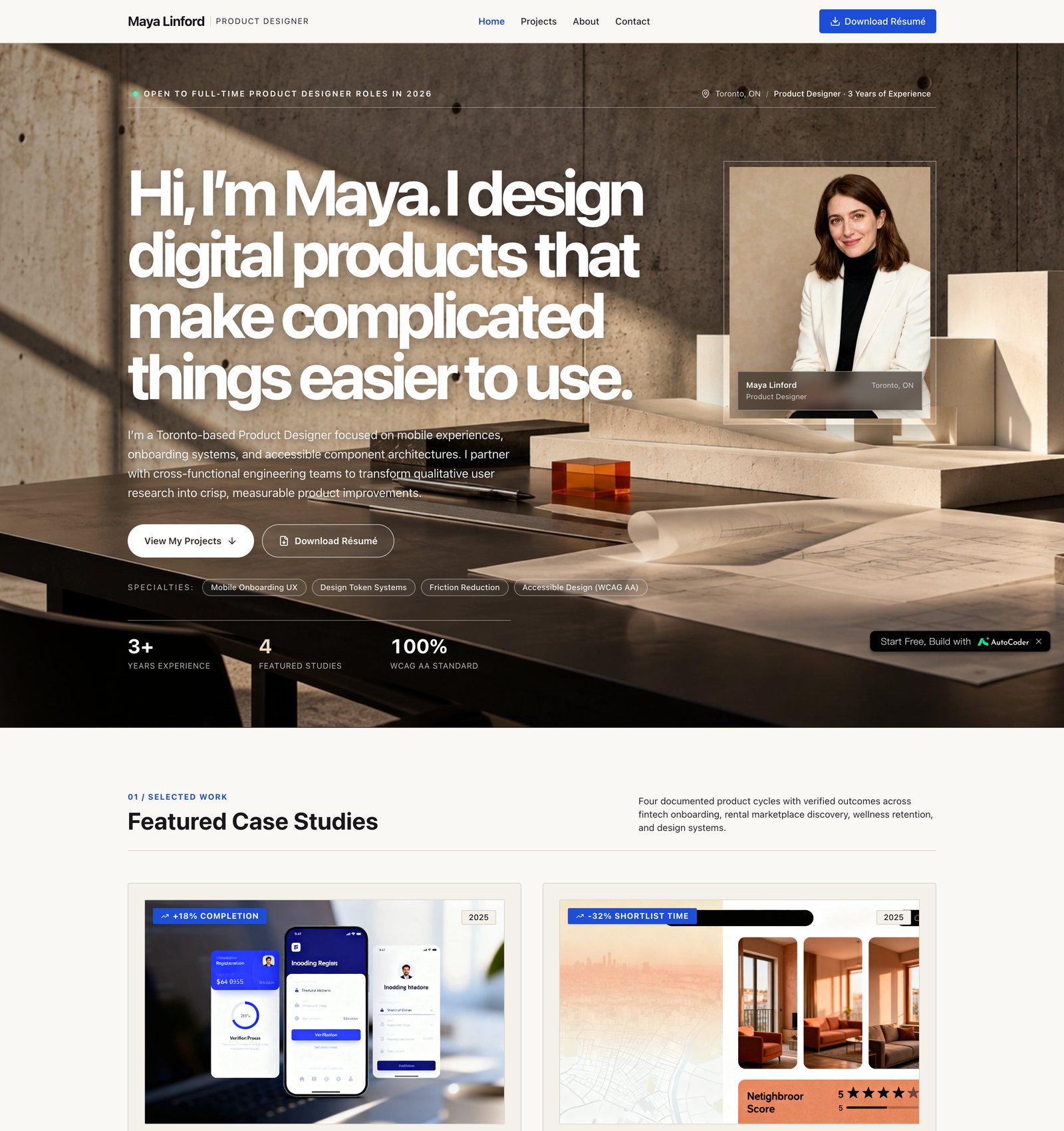
This guide walks through that process end to end with a real example: a portfolio for a fictional product designer named Maya Linford, three years of experience, applying for full-time roles. Every screenshot below comes from building that site, and the finished version is live at gtxkbfk.autocoder.store. Maya, her employers, and her projects are invented; the workflow is not.
Here is the shape of it:
Write the brief → Generate the site → Refine in plain language → Check it on your phone → Publish → Put the link in your applications
Why a Portfolio Website Still Matters for Job Applications in 2026
Three things a portfolio does that a resume cannot.
It answers the question a resume raises. A resume line says you “redesigned onboarding and improved completion by 18%.” A case study page shows the before, the decision, and the after. Recruiters who are on the fence open the link; recruiters who are not, do not. Either way the link costs you nothing and the resume line gains a source.
It is the field most application forms ask for. Workday, Greenhouse, Lever, and Ashby forms all have a website or portfolio field. Leaving it empty is a small signal; filling it with a LinkedIn URL is a smaller one. A real site with your name on it is the answer the field was designed for.
It is the first thing an interviewer opens. Ten minutes before a screening call, the interviewer has your resume and your link. The link is where the conversation starts.
What has changed since 2024 is the cost. Building the site used to be the expensive part; now it is the cheap part, which moves the effort back to where it belongs: deciding what to show.
What a Job-Search Portfolio Needs (and What It Does Not)
Keep the site to four pages. Recruiters do not browse; they scan for evidence and leave.
Home. One sentence about what you do, the role you are looking for, and three to five project cards. The target role belongs on this page in plain words: “Open to full-time Product Designer roles in 2026.”
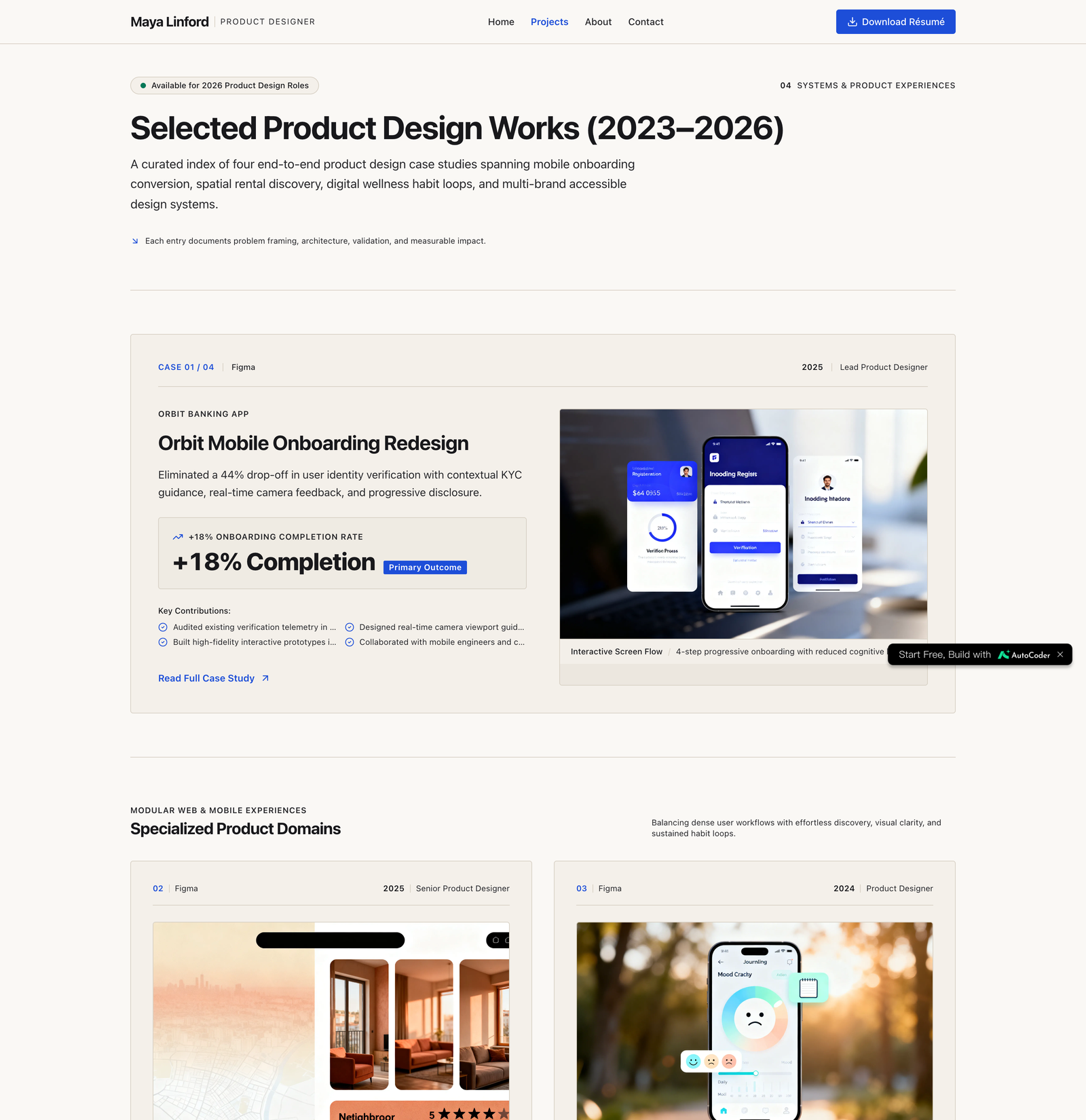
Projects. One case study per project with the same three headings every time: the problem, what you did, the outcome. Put a number in the outcome wherever you honestly can. “Onboarding completion up 18%” is remembered; “improved the onboarding experience” is not.
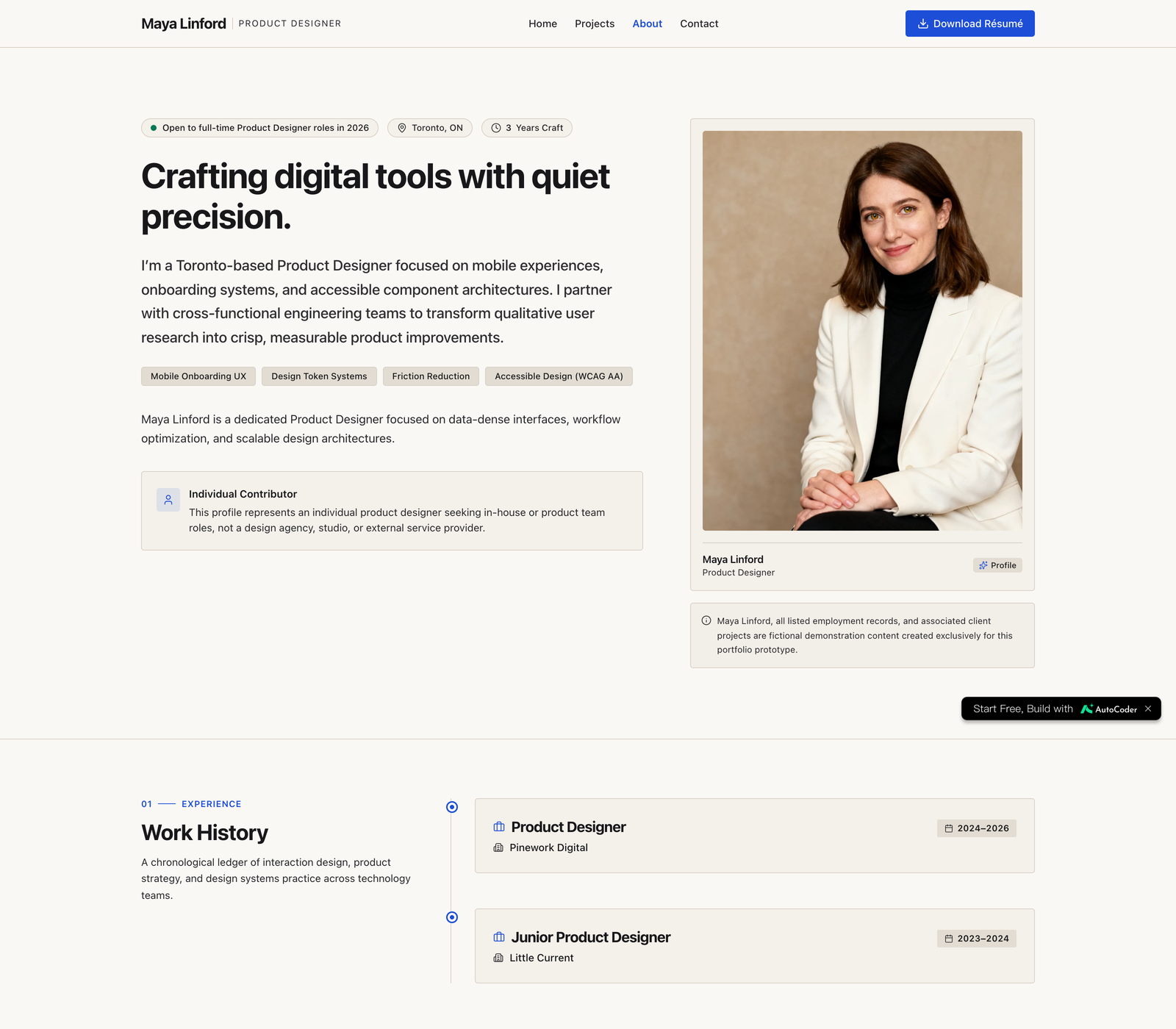
About. A short bio, your skills as a list rather than a paragraph, and a Download Resume button that serves a real PDF.
Contact. Email, LinkedIn, and GitHub or Dribbble depending on your field. No contact form; forms get ignored, email addresses get used.
Leave out everything that belongs to an agency site: client login, pricing, a services page, a team page, a blog you will not update. Each of those tells a hiring manager they are looking at a business, not a candidate.
Step 1: Write the Brief Before You Open Any Tool
The quality of an AI-generated site is set by the brief, not by the tool. A vague prompt (“make me a portfolio”) produces a generic template with lorem ipsum in it. A specific brief produces a site that already has your structure, your voice, and your constraints built in.
Write it as if you were handing it to a freelancer. Name the person, the experience level, the target role, the pages, what goes on each page, and what must not be there. This is the brief used for the example in this article:
Build a personal portfolio website for a fictional Product Designer named Maya Linford. She has 3 years of experience and is applying for full-time Product Designer roles in 2026. This must be an individual job seeker’s portfolio, not a company, design studio, agency, or SaaS website. Use only fictional people, employers, products, portraits, and project information.
Pages: Home (short intro, target role, 4 featured project cards), Projects (one case study per project with Problem, What I did, Outcome with a metric, and images), About (bio, skills list, a Download Resume PDF button), Contact (email, LinkedIn, Dribbble). Clean, minimal, mobile-friendly. No client login, no pricing, no blog.
Two details in that brief do most of the work. “Outcome with a metric” forces every case study to end in a number. “No client login, no pricing, no blog” stops the builder from reaching for the agency-site pattern it has seen a thousand times. When we ran an earlier version without those lines, the first draft came back as a design studio homepage with a client portal.
Step 2: Generate the Site With an AI Website Builder
We built the example with AutoCoder, an AI website builder that takes a written description and produces a working multi-page site rather than a mockup. You paste the brief into the prompt box and it works in stages: a static draft of the home page style and layout first, then a requirements list, then the full project with every page wired up.
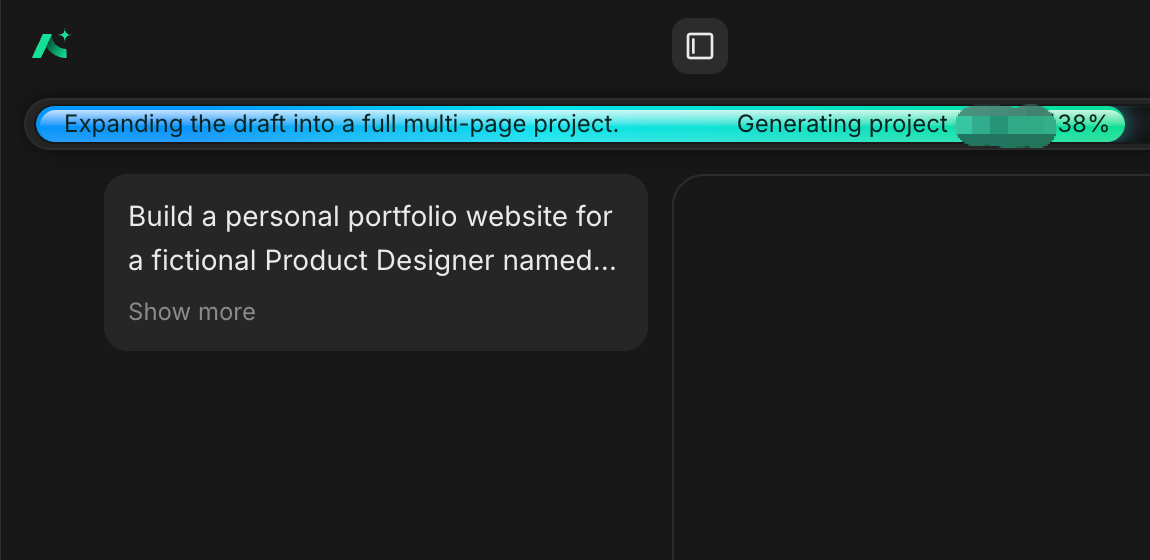
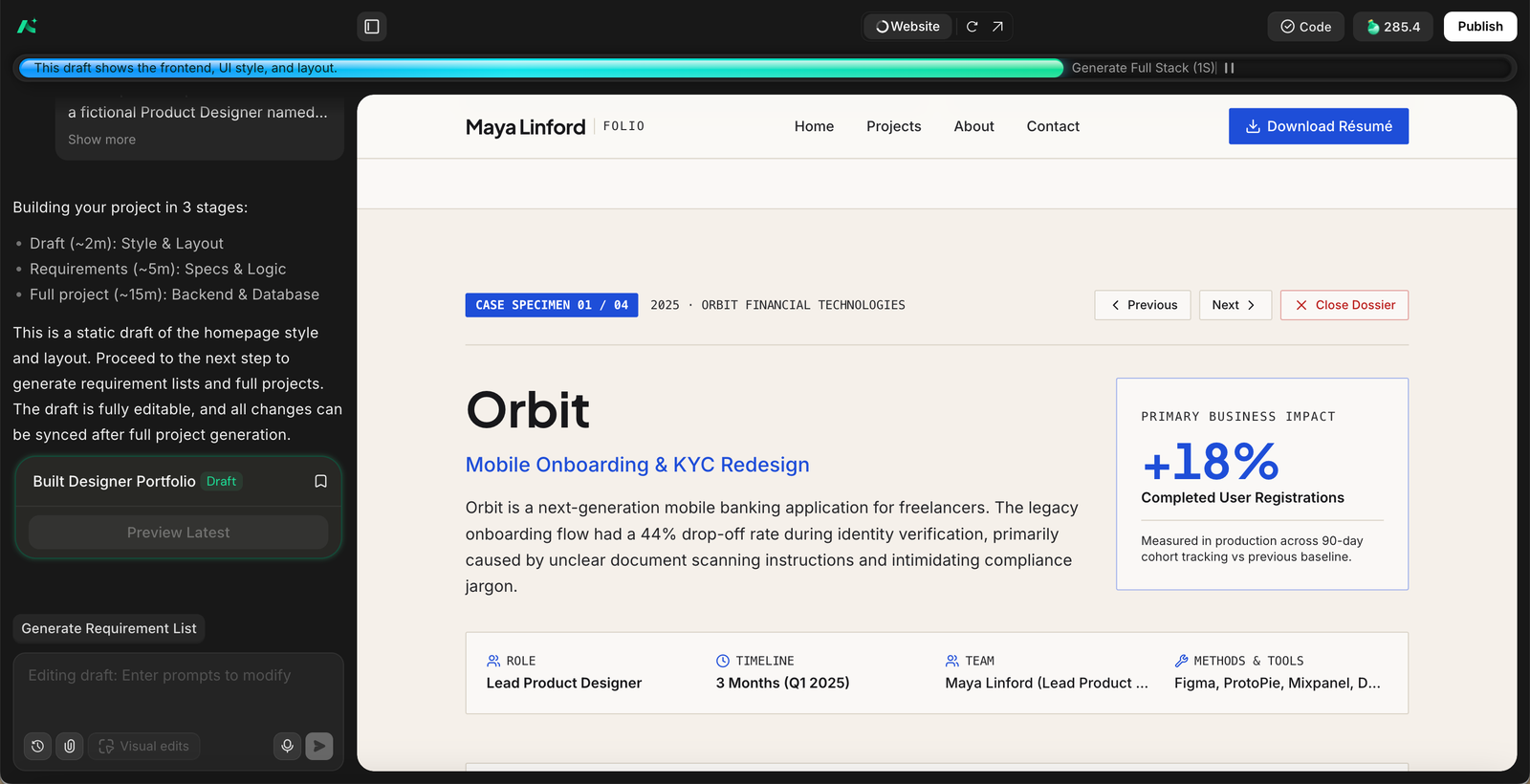
The draft stage is worth pausing on. It is where you catch the structural mistakes before any content is generated: a hero that reads like a studio, a navigation bar with a “Services” item, project cards without a place for a metric. Fix those in the draft and the full build inherits the fix.
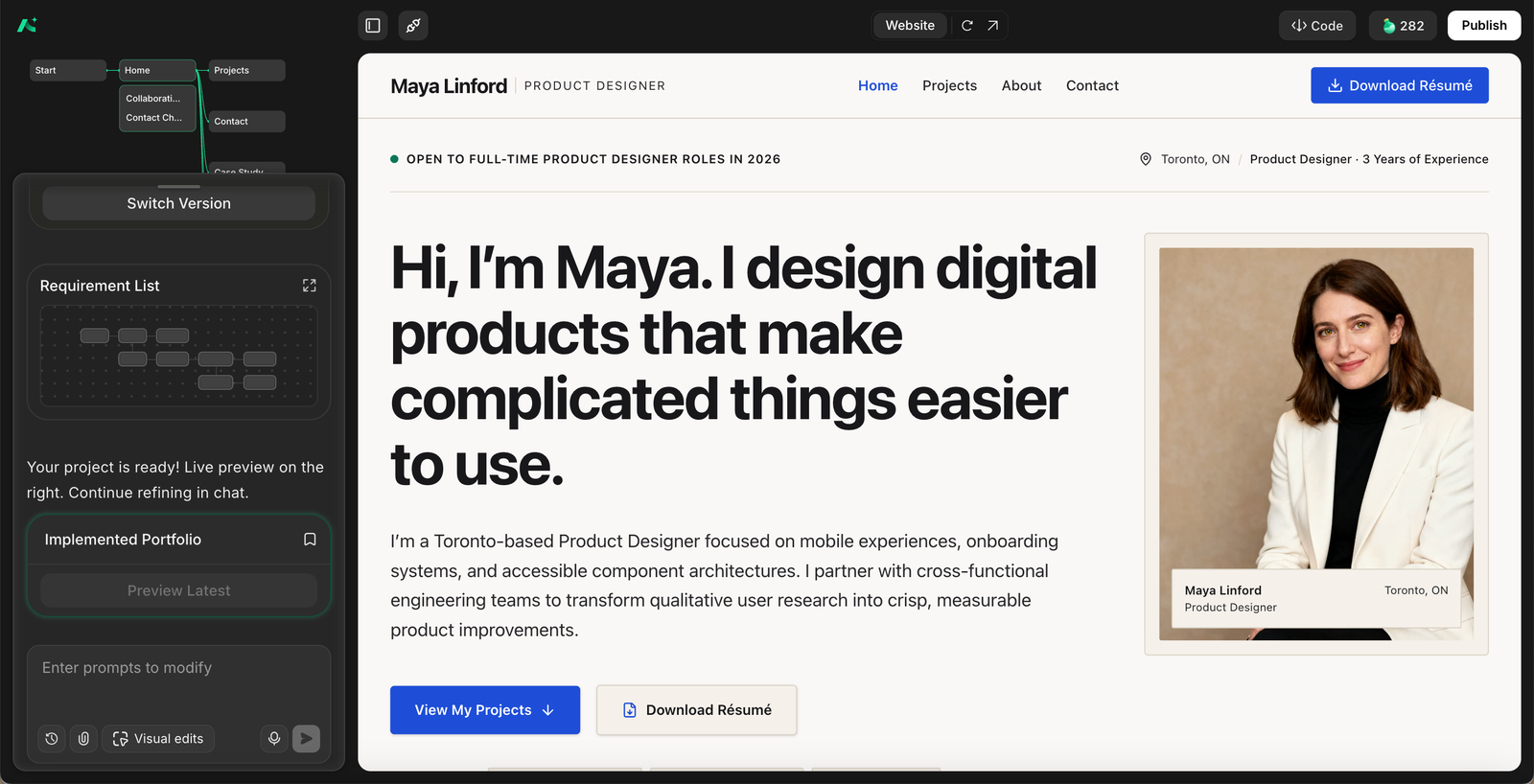
For the Maya site, the full generation produced all four pages, four case studies with a metric on each, a skills section, a resume download button, and contact links, with the fictional-content disclaimer we asked for placed on the About and Contact pages. What it did not do perfectly on the first pass is the subject of the next step.
Step 3: Refine in Plain Language, Then Check It on Your Phone
You do not edit the code. You tell the builder what to change, in a sentence, and review the result. Edits that worked well on the example site:
“Move the portrait up so it sits level with the headline.”
“Switch the project cards on the home page to two columns.”
“Rewrite the Contact page copy in plain language. Remove ‘dossier’ and ‘compliance’.”
“Add a line under the About bio saying all employers and projects are fictional demo content.”
Read every page once with a recruiter’s eyes before you publish. AI builders have a house style, and part of it is overwriting: a Contact page that calls a resume a “verified curriculum vitae dossier” makes a three-year designer sound like a law firm. Ask for plain language wherever the copy sounds like it is trying to impress.
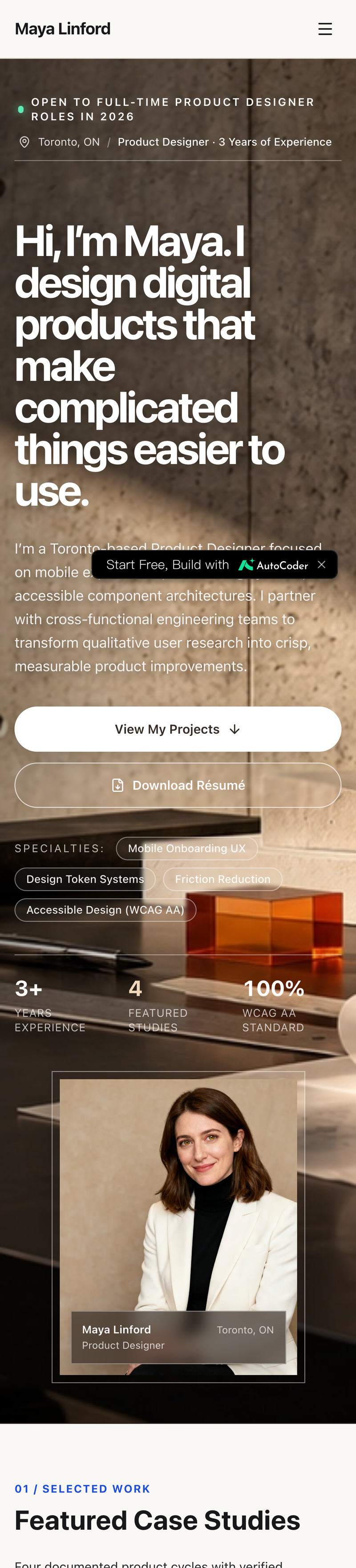
Then open the site on your phone. Most recruiters who click your link from an email or LinkedIn will see it on a phone first. Check three things: the headline wraps without breaking, the project cards stack into one column, and the navigation collapses into a menu that opens.
Step 4: Publish and Connect a Domain
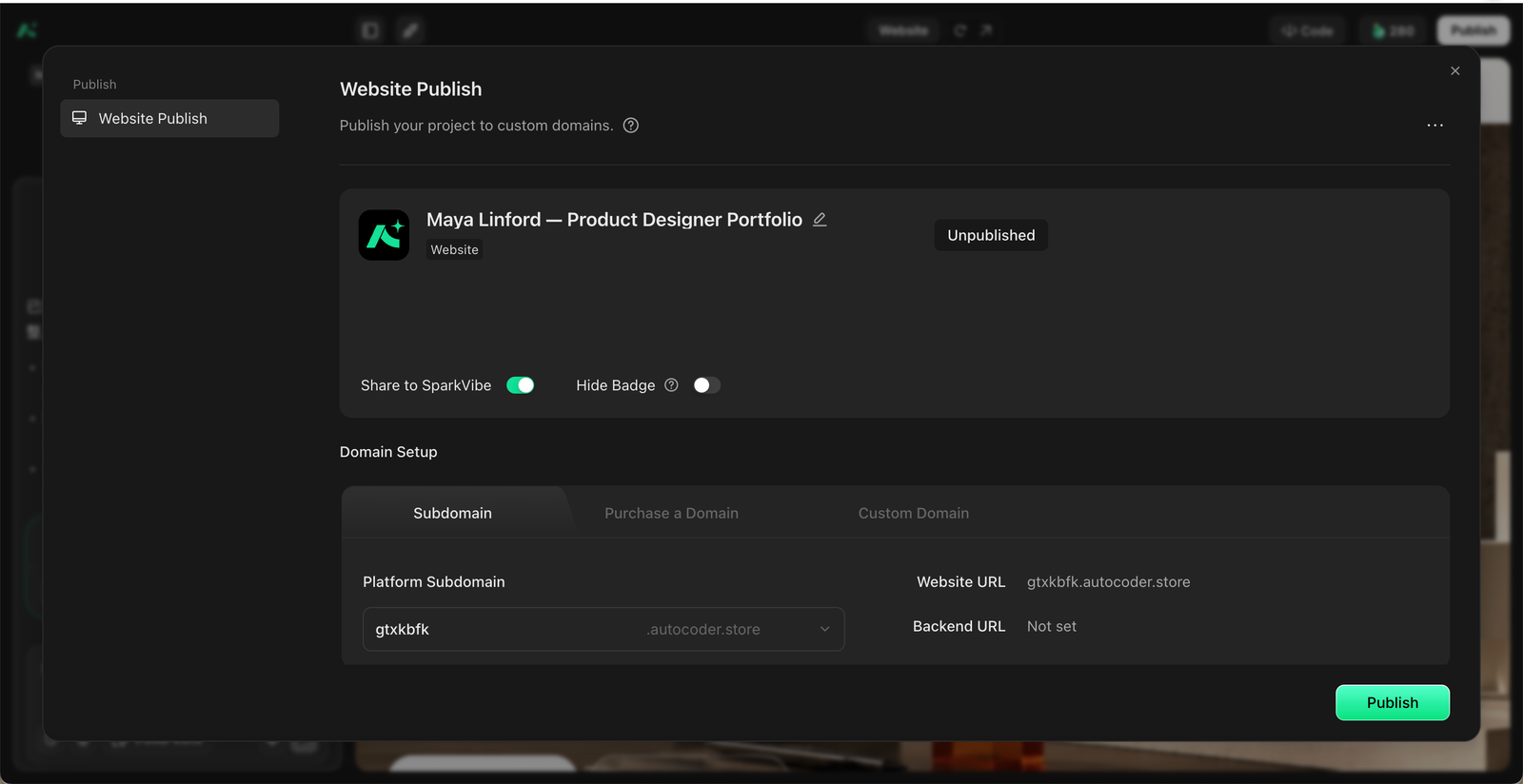
A portfolio link on a resume has to work for months, not until the next preview expires. Publish to a real address before you send the link anywhere: either a subdomain the builder provides or a custom domain you own.
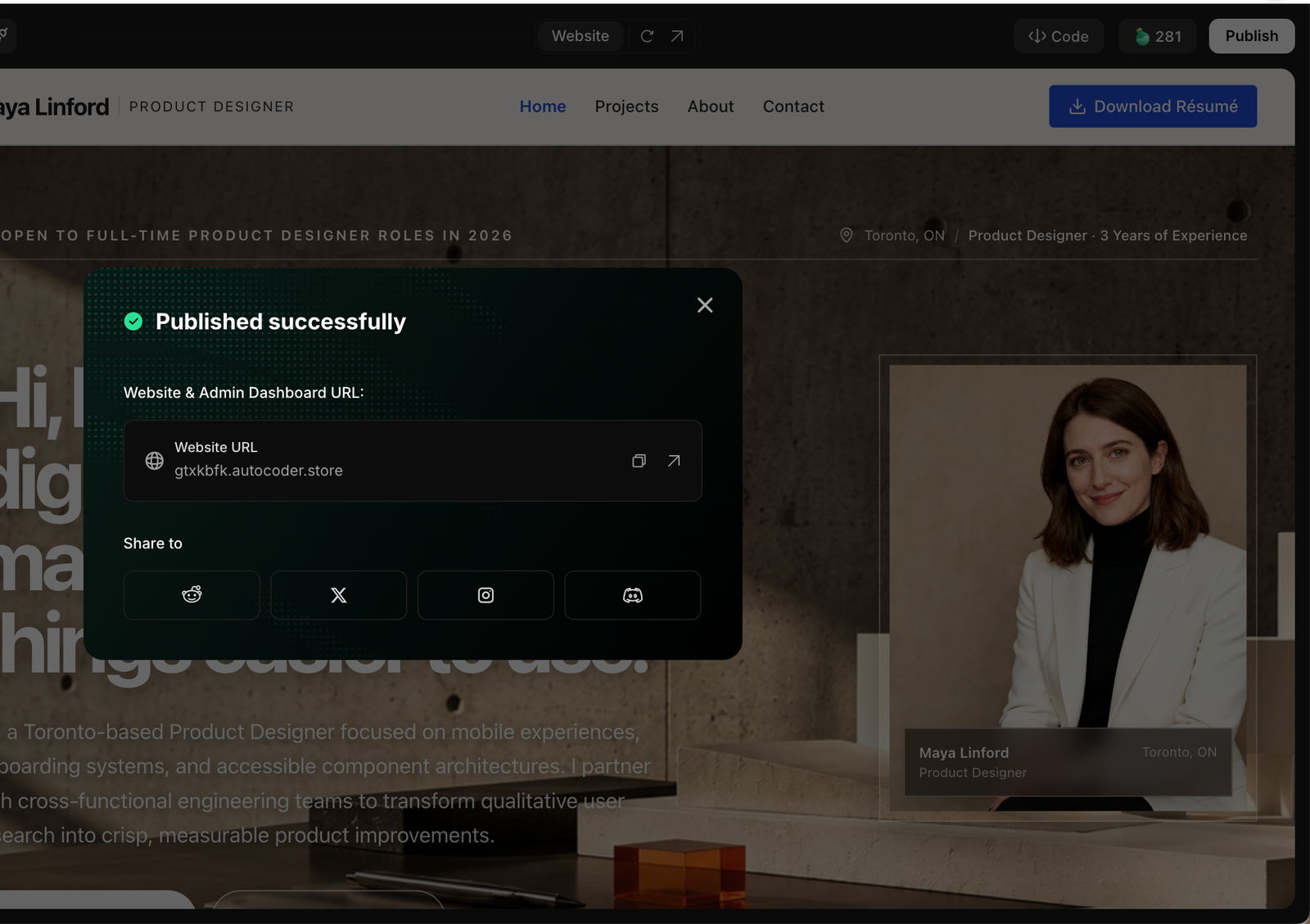
Three checks after publishing, because they are the ones that fail silently:
Open every page from the published URL directly, not from the editor preview.
Click Download Resume and confirm a PDF opens. On the example site this button served a web page instead of the PDF on the first publish, which is exactly the kind of thing nobody notices until a recruiter does.
Click the email link and each social link.
If you use your own domain, put the site at the root, not in a folder. yourname.com is easier to type into an application field than yourname.com/portfolio/index.
Step 5: From Portfolio to Job Application
Publishing the portfolio is where most guides stop, and it is where the actual job search starts. The link now has to travel into every application you send, and the rest of each application still has to be filled in, tailored, and reviewed.
That is the stage JobWizard is built for. It is a Chrome extension for the application step: once you have found a relevant role, it compares your resume with the job description, helps tailor your resume and cover letter, and autofills repetitive fields across Workday, Greenhouse, Lever, Ashby, iCIMS, SmartRecruiters, and hundreds of other application platforms, including the website and portfolio fields that now have an answer. You review every field, and the final submission stays with you. The workflow is simple: use the AI builder to present your projects and experience, then use JobWizard to prepare and complete the application for a specific role.



Two habits tie the portfolio and the application together. First, when a case study on your site matches the role, name it in the application’s free-text answer and link straight to that case study page, not the home page. Second, keep the resume PDF on the site and the resume you upload to the application identical, so the interviewer never sees two versions of your history.
Before You Send the Link: A Checklist
The target role is written on the home page in plain words.
Every project has a problem, what you did, and an outcome with a number.
Download Resume opens a PDF, and it matches the resume you upload to applications.
Email and social links work from the published URL.
The site reads correctly on a phone.
The URL is a published address, not an editor preview, and it is the same one on your resume, your LinkedIn, and your application forms.
No client login, no pricing page, no services page, no empty blog.
Common Mistakes
Treating the site as the deliverable. The site is a link. Its job is to get you from the application to the screening call. Spend the time you save on building it on choosing which three projects to show.
Copying an agency template. The most common failure with AI builders is a beautiful site for a company that does not exist. If the first draft has a “Services” tab, start over with a tighter brief.
Metrics you cannot defend. Every number on a case study page will be asked about in an interview. Use the real one, or use none and describe the outcome in words.
A preview link on a resume. Editor previews expire. Publish first, then share.
Two resumes. If the PDF on the site and the PDF in the application differ, the difference is the first question you will be asked.
Frequently Asked Questions
Do I need a portfolio website if I am not a designer or developer? If your work produces anything a hiring manager can look at, yes: analyses, writing, campaigns, decks, teaching materials, research. A single page with three examples and a resume link is enough. If your work produces nothing that can be shown, a strong LinkedIn profile does the same job.
How many projects should I include? Three to five. A recruiter reads one or two; the rest are there to show range. More than five dilutes the ones that matter.
Can I use a builder-provided subdomain instead of buying a domain? Yes, as long as it is a published address that will not expire. A custom domain looks more established and is easier to say out loud, but a stable subdomain beats an expired custom domain.
Should the portfolio link go on the resume? Yes, in the header next to your email and LinkedIn, and again in the website or portfolio field of every application form that has one.
Is it acceptable to use a fictional example like the one in this article? As a demo of the process, yes, which is why every page of the example says so. On your own site, every employer, project, and number has to be real.
Do This Step by Step With JobWizard
Build the portfolio with an AI website builder, publish it to a stable address, and then let JobWizard carry the link into every application: it checks your resume against the role, tailors your materials, autofills the employer’s form including the portfolio field, and leaves the review and the submit button with you.
Do this automatically with JobWizard
Skip the manual work — JobWizard's Smart Autofill handles this for you.
Frequently Asked Questions
Autofill your next job application
JobWizard is a free Chrome extension that fills applications, tracks statuses, and optimizes your resume.