From Job Application to Interview: A Complete AI Job Search Workflow for 2026
One continuous job search workflow for 2026 — from finding a role and checking fit to autofilling applications, tracking them, and preparing for the interview, with you in control.
Free Chrome extension
Autofill your next job application
JobWizard is a free Chrome extension that fills applications, tracks statuses, and optimizes your resume.
Most job seekers in 2026 aren't short on tools. They have a resume builder, a job board tab, a spreadsheet, an autofill extension, and a folder of interview questions somewhere. The problem is that none of these steps talk to each other. You find a role in one place, tailor your resume in another, fill out the application by hand, forget where you saved the job description, and then — when an interview finally lands — start prepping from scratch as if the application never happened.
This guide lays out one continuous workflow from finding a role to walking into the interview, with a simple rule running through it: you stay in control of every decision, and tools only remove the repetitive work.
Here's the shape of it:
Find role → Check fit → Tailor materials → Autofill and review → Submit → Track → Get the interview → Practice → Improve
Why Most Job Search Workflows Break Between Applying and Interviewing
Three gaps quietly break most people's process.
You optimize for volume, not fit. It feels productive to send 40 applications a week, but if most of them are a poor match, you're just generating rejections faster. Application count is the wrong scoreboard.
You re-enter the same information every time — without checking it. The same name, work history, and links get retyped into every portal, which is both slow and error-prone. Speeding this up is good; speeding it up without a review step just lets mistakes through faster.
You treat applying and interviewing as two unrelated projects. When the interview invite arrives, most people go searching for generic "top interview questions" instead of preparing against the exact resume and job description they already submitted. The context that would make prep sharp is sitting right there, unused.
The fix isn't another app. It's connecting these stages so the work you do early carries forward.
The Complete Application-to-Interview Workflow
Step 1 — Save the Job Description Before You Apply
Before you touch the application, save the posting. At minimum, capture:
Job title and company
The full job description text
Core required skills
Location and work model (remote / hybrid / onsite)
Salary range, if listed
The application link
The application deadline
This takes two minutes and pays off twice: it's what you'll tailor your resume against now, and it's what you'll prep your interview against later. Postings also get edited or taken down, so your saved copy is the source of truth from here on.
Step 2 — Check the Resume–Job Match
Before writing anything, read the job description as a checklist:
Pull out the core requirements.
Separate the true must-haves from the nice-to-haves.
Ask whether your resume actually evidences each must-have — not just names the keyword.
Never invent experience to hit a keyword. A match you can't defend in the interview is worse than an honest gap.
This is where a fit check helps. JobWizard's Match Score compares your profile against the job description and surfaces which requirements you cover well and which are thin, so you can decide — with real judgment — whether this role is worth a tailored application or a pass. The score informs the call; it doesn't make it for you.
Step 3 — Tailor the Resume and Cover Letter
Tailoring is editing, not rewriting from zero:
Reorder your experience so the most relevant work sits at the top.
Mirror the job's real language where it's honestly true of you (say "stakeholder management" if that's the phrase they use and the work you did).
Lead each relevant bullet with an outcome, not a duty.
Use the cover letter only for what the resume can't explain — motivation, a transition, or context behind a gap. If you write one, JobWizard's AI Cover Letter can draft a tailored version from the job description that you then edit into your own voice.
Step 4 — Autofill the Application Without Giving Up Control
This is where the application itself gets fast. On ATS portals like Workday, Greenhouse, Lever, Ashby, iCIMS, and SmartRecruiters, most of the form is the same repetitive data every time.
JobWizard is a Chrome extension that recognizes those fields on the application page you're already on and fills in the repeated information — name, contact details, location, resume, LinkedIn, portfolio, and similar. What it does not do is submit for you. You review every field and click submit yourself.

JobWizard fills the repetitive fields while keeping the final review and submission in the job seeker's hands.
That distinction matters. This is autofill with a human review step, not blind auto-submit. Before you submit, deliberately check the fields that quietly sink applications:
Work authorization / visa questions
Salary expectations
Location and relocation
Any custom screening questions the company added
Autofill removes the typing. You keep the judgment. (For a deeper walkthrough of how the autofill step works across different ATS portals, see our Smart Autofill guide.)
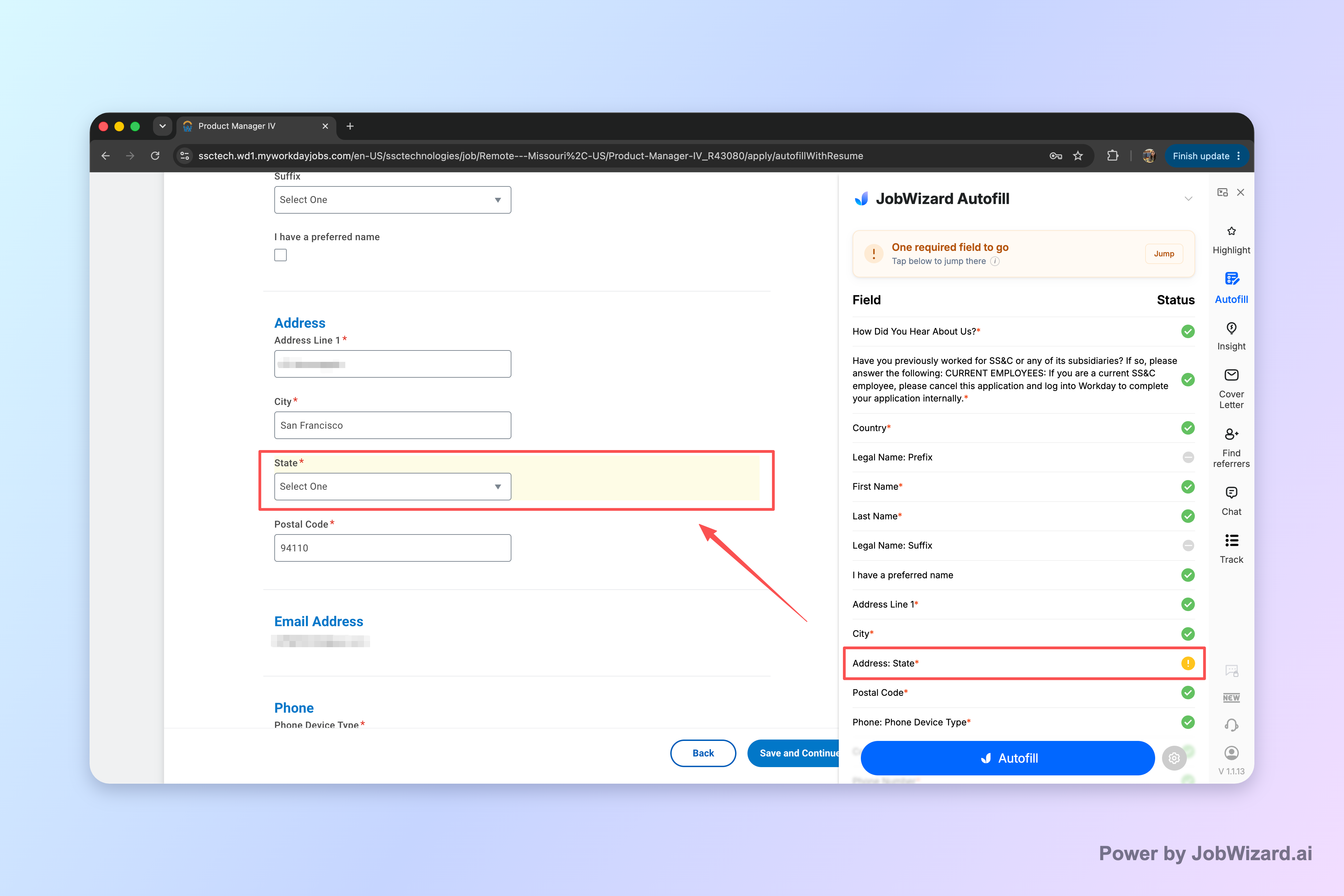
When a required field still needs attention, JobWizard identifies it and lets the job seeker jump directly to the matching question.
Step 5 — Record What You Actually Submitted
The moment you submit, log it:
Submission date
Which resume version you sent
The cover letter (if any)
The job description
Current status
Any contact or referral
Your next follow-up date
Here's why this matters more than it looks: when the interview comes, the single most useful thing you can have is an exact record of what you told this employer. You can't prep well against a resume you've since changed for three other roles.
Step 6 — Use the Waiting Period Productively
Refreshing your inbox is not preparation. While you wait, do the work that pays off if the interview lands:
Draft 5–7 core stories in STAR form (Situation, Task, Action, Result) that cover your strongest experiences.
Research the company's product, customers, and recent news.
Tighten a 60-second self-introduction.
Re-read your submitted resume and flag the bullets most likely to draw a follow-up question.
For a high-priority role, run one baseline practice interview now, before you're under time pressure.
What to Do When the Interview Invitation Arrives
Reopen the Exact Resume and Job Description
Don't prep off a generic resume. Open the specific version you submitted and the job description you saved in Step 1, and sort likely questions into three buckets:
Core-competency questions — drawn straight from the JD's must-haves.
Resume follow-ups — the "tell me more about this" on your own bullets.
Gap questions — the requirements you were thin on, which a good interviewer will probe.
Turn the Application Context Into Interview Practice
This is where your saved context becomes real practice. Once an application turns into an interview, a platform such as MockIF can use your resume and the target job description to build a more realistic session than generic question lists allow. Its voice-first interviews include adaptive follow-up questions and feedback on clarity, confidence, and relevance — so you're rehearsing how you'll actually say things out loud, not just what you'd write.
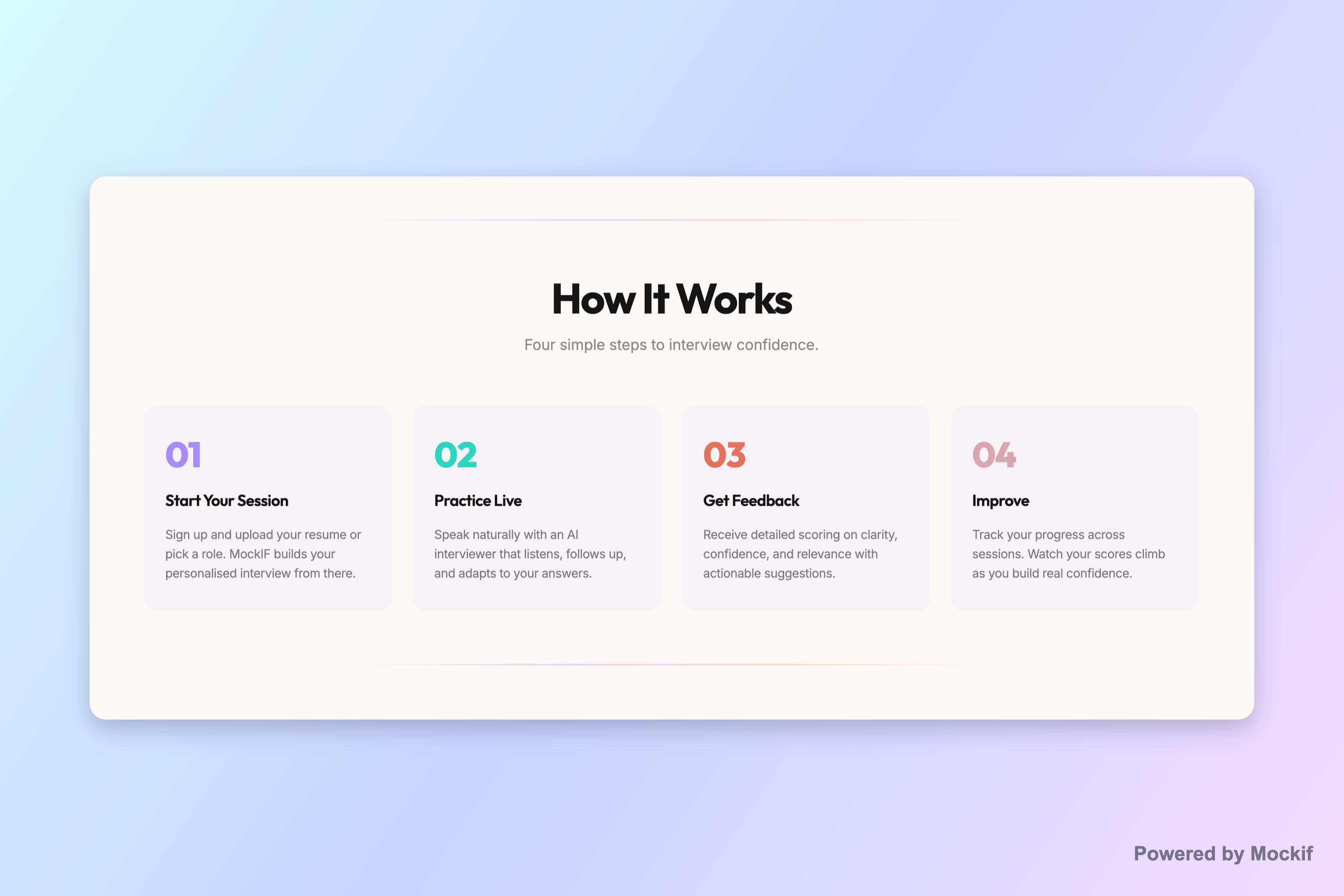
MockIF focuses on the parts of an interview you can't script — follow-up questions, interruptions, and pauses. (Image: MockIF)
Use a Three-Session Practice Loop
Rehearsing an answer once isn't practice. Run three passes:
Session 1 — Diagnose. Answer fully, no script. Find where you ramble, speed up, lean on filler words, or drift off the question.
Session 2 — Improve. Rebuild your weakest answers in STAR order. Add specific actions and concrete results. Rehearse handling a follow-up.
Session 3 — Simulate. No notes. Run it at real interview pace. The goal is steady delivery under pressure, not a memorized recital.
A 24-Hour Interview Preparation Checklist
The day before:
Re-read the JD and the exact resume you submitted
Confirm the format and who you're meeting
Have 5 STAR stories ready
Run one final voice-based practice session
Prepare 3–4 questions to ask the interviewer
Test your camera, mic, and connection
Stop editing your resume — you're preparing to talk now, not rewrite
How JobWizard and MockIF Fit Into the Same Workflow
These are two tools for two different stages — not a bundle, and not competitors.
| Stage | Main task | What the tool does |
|---|---|---|
| Before applying | Judge role fit | JobWizard compares JD and resume (Match Score) |
| While applying | Fill, tailor, review | JobWizard autofill + AI cover letter, you review |
| After applying | Save records, track status | JobWizard application tracking |
| Interview lands | Practice against your resume + JD | MockIF runs realistic mock interviews |
| Before the interview | Sharpen delivery and structure | MockIF feedback and repeated practice |
Put simply: JobWizard helps you move from a relevant job description to a reviewed, submitted application. MockIF picks up when that application becomes an interview — helping you practice how you'll explain the same experience out loud.
Common Workflow Mistakes
Mass-applying with no fit check
Starting every application from a blank page instead of a tailored base
Submitting and never saving the JD you applied against
Prepping only "answers to questions" instead of your actual stories
Writing a perfect script and memorizing it word-for-word
Practicing content only — never your voice, pacing, or live follow-ups
Frequently Asked Questions
How many jobs should I apply to each week?
There's no magic number, and volume alone won't help. It's better to send fewer, well-matched, tailored applications than to blast dozens of poor fits. Set a target you can sustain while still checking fit and reviewing each submission — quality of match beats raw count.
Is job application autofill safe?
Autofill is safe when it fills fields for you to review rather than submitting on its own. The risk isn't the typing — it's blind auto-submit. Use a tool that keeps a human review step, and always check visa, salary, and location fields before you click submit yourself.
Should I tailor my resume for every application?
Tailor for roles you genuinely want. Tailoring means reordering and rephrasing to match the job's real requirements — not rewriting your history or inventing experience. A focused, honest match to the must-haves matters far more than a fully rebuilt resume for every single posting.
When should I start preparing for an interview?
Start during the waiting period, before any invite arrives. Draft your core STAR stories, research the company, and re-read your submitted resume. When the interview is confirmed, you're sharpening delivery instead of starting from zero — which is where most people lose time.
How many mock interviews should I complete?
Enough to move through diagnose, improve, and simulate — often around three focused sessions per role. The goal isn't a number; it's steady, clear delivery under real conditions. Stop when you can answer your likely questions without notes and handle a follow-up calmly.
Should I use the same resume and JD for interview practice?
Yes. Practice against the exact resume you submitted and the job description you saved. Prepping off a generic resume trains you for the wrong conversation. Your submitted materials are what the interviewer will ask about, so they're what your practice should be built on.
Can AI replace human interview coaching?
No. AI practice is good for volume, quick feedback, and rehearsing out loud on your own schedule. It complements human coaching and mentorship — it doesn't replace the judgment, industry nuance, and personal read that a good human coach provides.
What should I track after submitting an application?
Record the submission date, the resume version you sent, the cover letter, the job description, the current status, any contact or referral, and your next follow-up date. This log is what makes later interview prep precise — you'll know exactly what you told this employer.
Do this automatically with JobWizard
Skip the manual work — JobWizard's Smart Autofill handles this for you.
Frequently Asked Questions
Autofill your next job application
JobWizard is a free Chrome extension that fills applications, tracks statuses, and optimizes your resume.