
How to Answer “Are You Willing to Relocate?”—Decide What to Say (and How to Say It)
If you’re wondering how to answer are you willing to relocate, the safest approach is to be specific about timing, location, and conditions—then keep the details consistent through the application.

Free Chrome extension
Let AI answer these questions for you
JobWizard fills sponsorship, work-auth, and availability answers correctly on every application — free.
How to answer are you willing to relocate?
The best way to answer “how to answer are you willing to relocate” is to be specific about timing and conditions, not just yes/no. Employers want confidence you can make the move without major surprises.
Start by deciding your truthful position (ready now, ready within a window, open later, or not able). Then translate that into one clean sentence you can reuse across applications and interviews—while still leaving room to confirm details like the work location and start date.
Turn relocation into a clear, hireable statement (not a gamble)
Make your answer easy to evaluate by pairing your availability with what you still need to confirm. This keeps you honest and makes you look organized.
Here are practical answer templates you can adapt—choose the one that matches your real constraints.
Option A: “Yes, and here’s my timeframe”
- Example: “Yes. I can relocate within 30–60 days, and I’m comfortable with the role’s stated work location.”
Option B: “Yes, but only with certain conditions”
- Example: “Yes—I’m open to relocating, and I can be ready within 60 days if the role’s location is confirmed and my start date lines up.”
- Example: “Yes, provided I can secure housing before the move and confirm whether relocation support is available.”
Option C: “Not right now, but I can relocate later”
- Example: “Not immediately. If selected, I expect to be able to relocate in about three months.”
- Example: “I’m currently not in a position to relocate, but I’m open to moving once my current commitments end in [month].”
Option D: “No” (only if it’s truly fixed)
- Example: “No, relocation isn’t feasible for me at this time. I’m focused on roles that are based in [current location/remote options].”
Rule of thumb: The more decisive you are, the more believable you must be. “Yes” without a realistic window can come back later when interviews turn into scheduling and onboarding.
Use the job details to avoid mismatches
To answer “are you willing to relocate” in a way that stays credible, align your wording to what the job posting actually says. If the posting is tied to a specific location, your answer should reflect that reality.
Before you submit, check three items in the posting and update your answer accordingly:
- Work location: Is it on-site, hybrid, or fully remote with travel expectations?
- Timing: When does the team expect the person to start?
- Relocation language: Does it mention relocation support, relocation assistance, or “preferred location”?
If the job listing is vague, you can still be specific by stating your readiness window and offering to confirm details at the next step.
Want a deeper approach to relocation decision-making? Use this pillar guide: How to Answer Job Application Questions: A Field-Tested Method for Confident, Consistent Responses, and for relocation specifically see “Are You Willing to Relocate?”—How to Decide, Answer, and Stay Hireable.
Keep your answer consistent across application and interview
Your goal isn’t just to “pass the question”—it’s to remain consistent so you don’t have to unwind confusion later.
Here’s a simple review workflow you can follow for each application:
- Draft once: Pick the template that matches your real situation and lock the timing.
- Match to the posting: Confirm the location and start timeline line up with your stated window.
- Decide what you’ll say out loud: Write a slightly more conversational version for interviews.
- Final check for contradictions: If you say “within 30–60 days” online, don’t later say “I might be able to later this year.”
If you want help generating sharp, non-backfiring wording for common scenarios, this article is a strong companion: How To Answer Are You Willing To Relocate on a Job Application (Smart Responses That Don’t Backfire). And if you’re building from scratch, start here: How to Answer "Are You Willing to Relocate?" on a Job Application.
Quick examples of “same message, different format”
- Application field (short): “Yes—within 60 days.”
- Interview version (slightly expanded): “Yes. I can relocate within 60 days, assuming the start date and work location match what’s in the posting.”
Use a review-first workflow before you submit (and before you speak)
Relocation questions are the kind of detail you want to review before you submit, because timing and conditions matter. JobWizard is designed around a review-before-submit workflow where repetitive fields are handled quickly while you verify the parts that require your judgment.
In practice, JobWizard has been used for 720,000+ applications with 600,000+ autofill sessions. Across those applications, users see an average of ~18 repetitive fields autofilled per application (typically 11–23). That’s helpful for speed—but your relocation decision is something you should always review and confirm.
If you’re using JobWizard to streamline your application prep, keep your relocation statement front-and-center in the review step. You’re aiming for accuracy, not automation—especially when the job includes location-specific requirements.
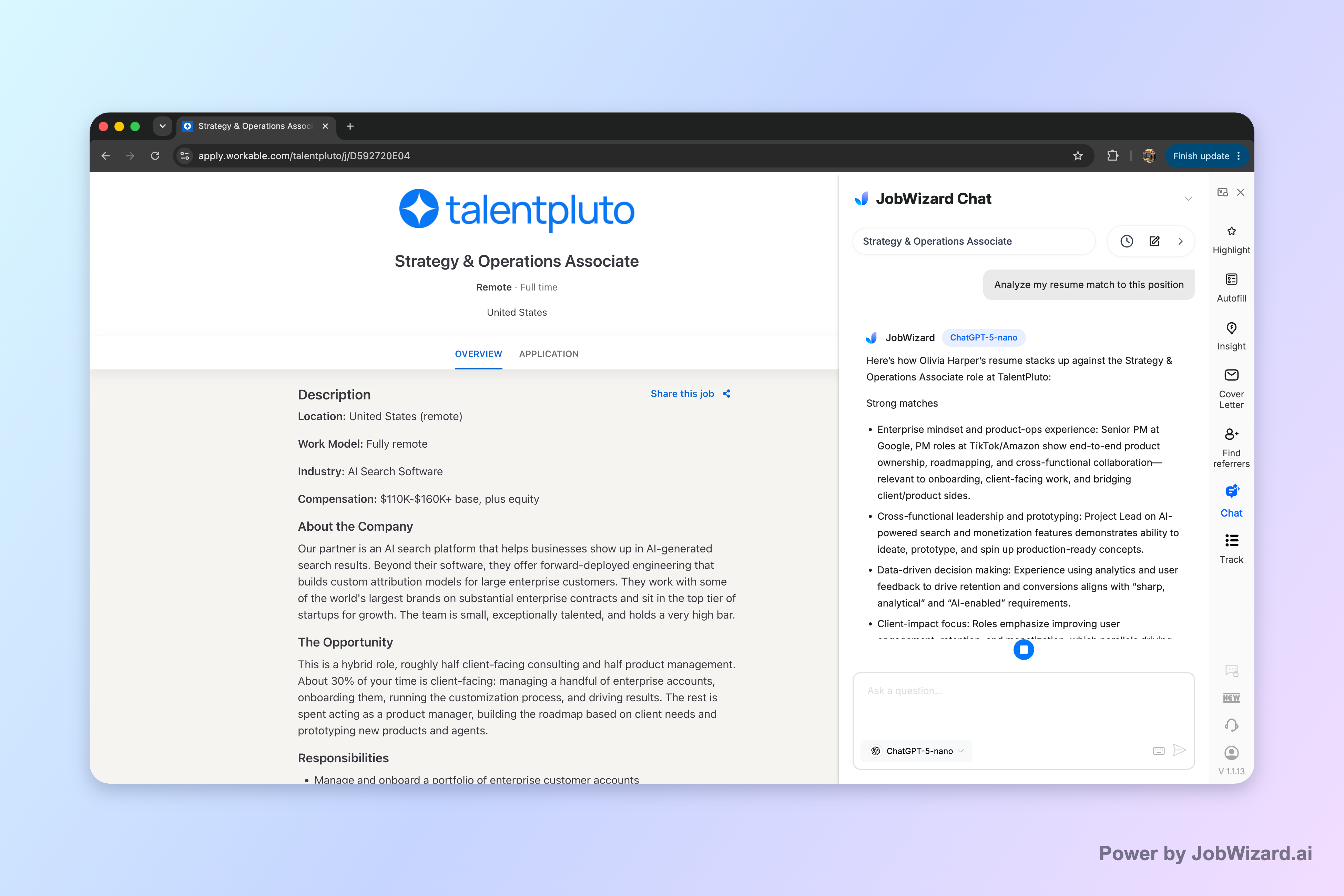
Also, if you’re preparing for “should I apply?” or “how do I align my background to this role?” you can use Career Chat to keep the current role in context while you ask focused follow-up questions. Screenshot-driven guidance shows how Career Chat keeps the role in context so you don’t have to paste the job description repeatedly.
Career Chat tip: Ask a focused follow-up question like “Based on the role’s location and start expectations, does my relocation timeline sound aligned?” Then verify against the job description before applying or interviewing.
Do this automatically with JobWizard
Skip the manual work — JobWizard's Smart Autofill handles this for you.
FAQ: How to answer are you willing to relocate
What’s the best way to answer “Are you willing to relocate?” if I’m unsure yet?
Answer with a conditional, time-bound plan. For example: “I’m open to relocating, and I can be ready within [timeframe] if the role is a good fit. I’d like to confirm the location and any support details before finalizing.”
Should I say yes to relocation on every application?
Only say yes if you can back it up with a realistic timeline and constraints. Otherwise, use a “yes with conditions” response (or “not right now, but later”) so you don’t create avoidable mismatches after you submit or if you reach interviews.
What should I mention besides willingness—timing, distance, or expenses?
Include at least timing and boundaries. You can also note what you need to confirm (for example, start date alignment, expected work location, and whether there’s relocation support), then offer to discuss details in the next step.
How do I keep my application answer consistent with what I’ll say in interviews?
Use a review-first approach: draft your relocation answer, then verify it matches the job’s stated location, start timing, and any relocation expectations. If you update your answer for one application, keep a simple record so you don’t contradict yourself later.
What’s a “safe” one-line answer I can reuse in forms?
If you’re open to relocating, a safe, reusable line is: “Yes—within [timeframe].” If it’s conditional, use: “Yes—within [timeframe], contingent on [location/start date/support].”
Ready to apply with confidence? Use JobWizard’s review-first workflow to move fast on repetitive fields, then double-check your relocation details before you submit—so your answer stays accurate from application to interview.
Frequently Asked Questions
Let AI answer these questions for you
JobWizard fills sponsorship, work-auth, and availability answers correctly on every application — free.