AI Tools for Job Search: Build a Tailored System That Fits Workday, Greenhouse, and Beyond
AI tools for job search can help you fill repetitive application details fast—then review and submit yourself. Here’s a practical workflow for tailored applications without blind auto-apply.
Free Chrome extension
Autofill your next job application
JobWizard is a free Chrome extension that fills applications, tracks statuses, and optimizes your resume.
AI tools for job search can feel like a shortcut—until you realize most “auto-apply” approaches create more editing work than they save. The winning strategy is a tailored system: use AI to move fast on drafts and repetitive form content, then review and submit yourself so your answers stay accurate and specific to the role.
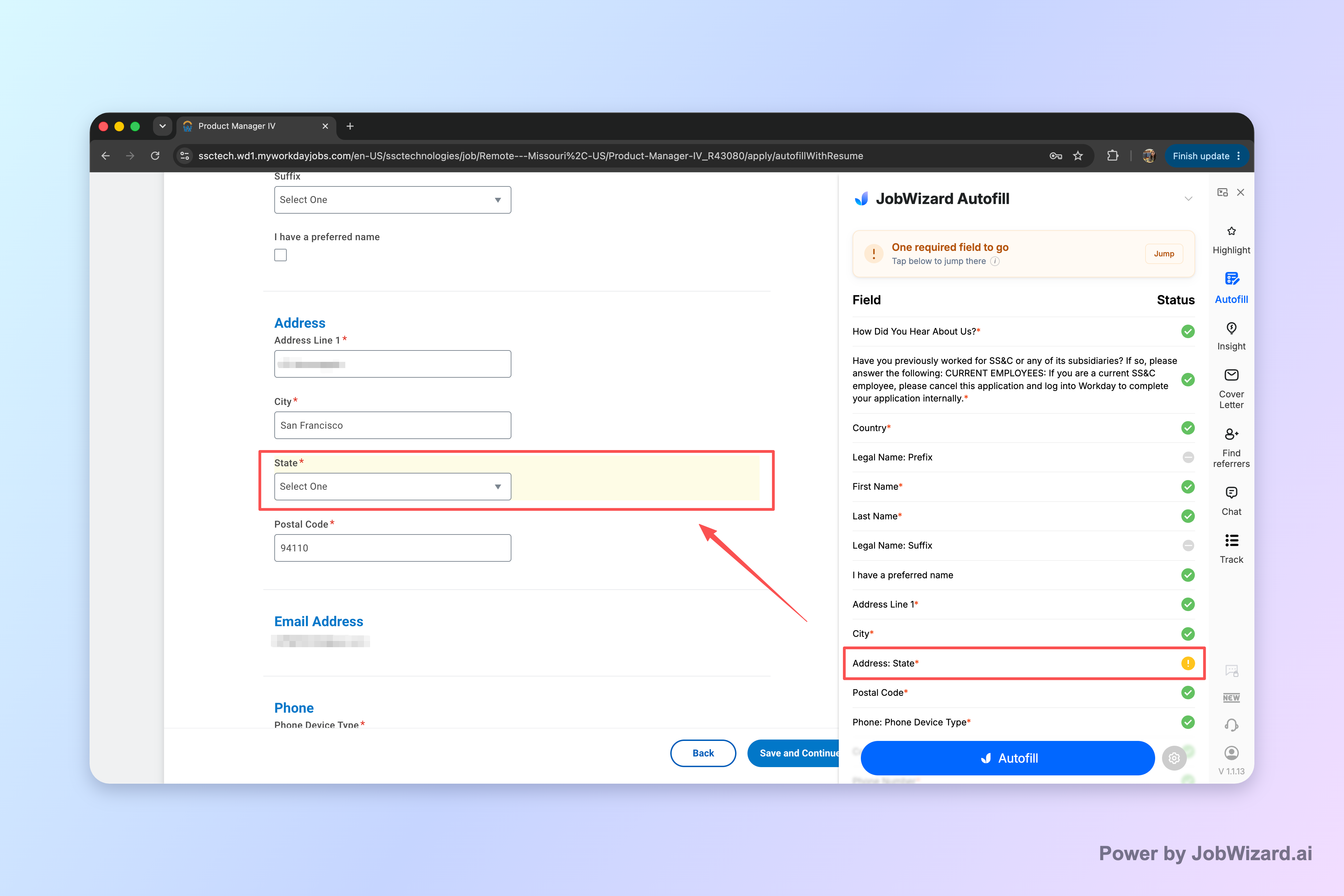
In this guide, you’ll get a practical workflow for modern application funnels (Workday, Greenhouse, Lever, Ashby and similar ATS forms) and learn how to combine drafting, autofill, and human review without blind auto-submit.
What AI tools for job search should do (and what they shouldn’t)
Good ai tools for job search reduce busywork while preserving your voice and truth. The key is separating “drafting and filling” from “final answers.”
Here’s the distinction that matters:
- Do: generate first drafts (cover letters, role-specific bullets), and pre-fill repetitive form fields quickly.
- Don’t: treat AI output as final—especially for sponsorship, compensation expectations, EEO/DEI items, and custom screening questions.
That’s also how JobWizard is used in practice: it autofills an average of ~18 repetitive fields per application, and the user reviews before submitting. It’s not a blind auto-submit workflow.
A tailored AI workflow for job applications (draft → autofill → review)
The fastest way to improve both speed and relevance is to run your job applications through a repeatable pipeline: draft first, autofill second, review last.
Use this workflow whether you’re applying to one company or dozens in a week:
- Collect the posting assets: paste the job description, note required skills, and capture any “must-have” phrasing.
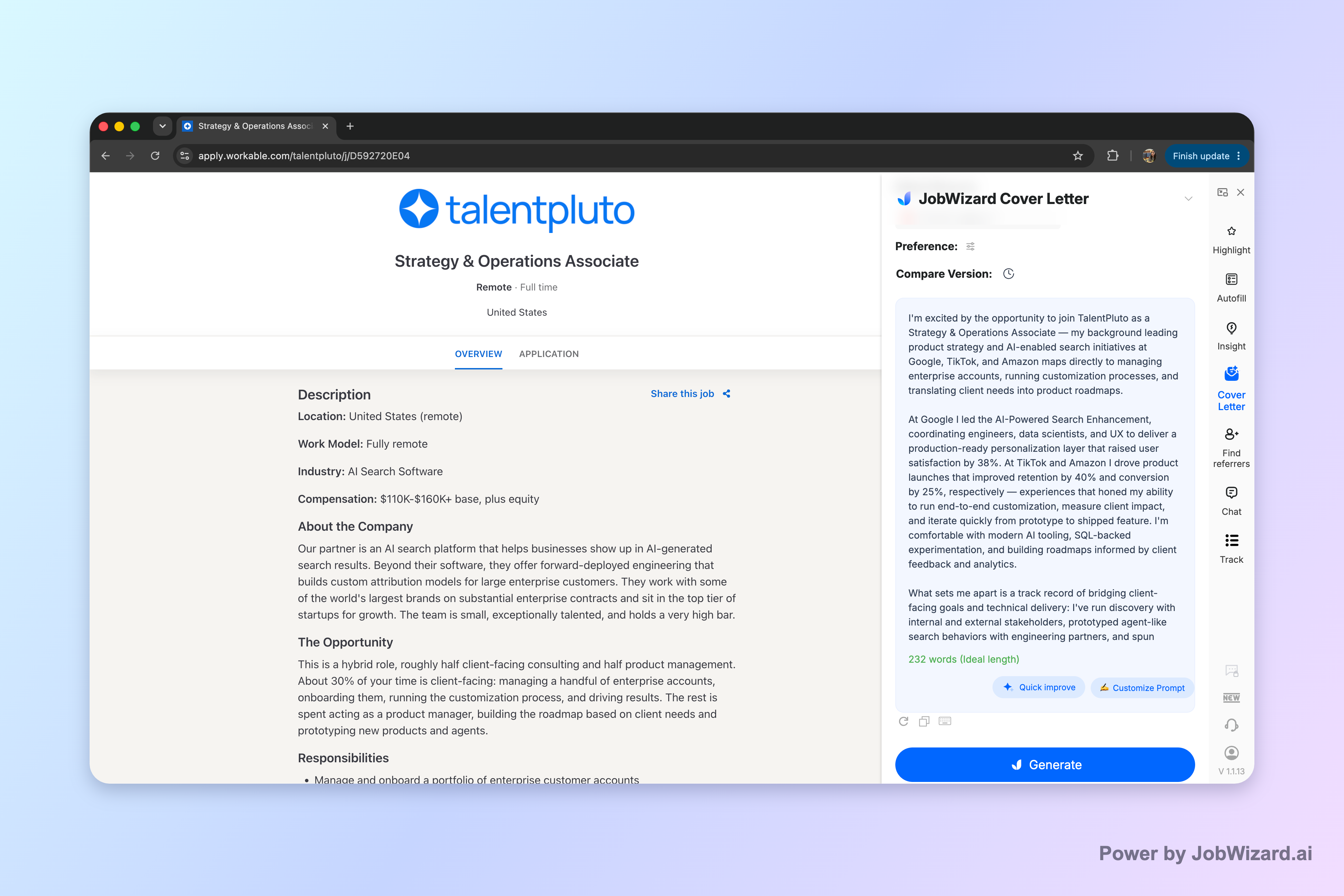
- Draft a tailored message: generate (or outline) a role-specific summary and cover letter paragraphs you can edit.
- Map your proof: pull 2–4 bullets from your resume that demonstrate each requirement with concrete details.
- Autofill repetitive fields: use an autofill tool to quickly populate repeatable form content.
- Review before submit: verify every field you’ll submit, especially custom questions, salary/expectations, eligibility, and EEO items.
- Final submit (your choices): submit yourself after edits so the application reflects you, not the model.
This “autofill + review-before-submit” approach is important: JobWizard fills repetitive fields quickly while sponsorship / salary / EEO / custom questions stay in your control for review before you submit.
How to speed up application forms with autofill (without losing personalization)
Autofill saves the most time when you’re repeating the same form structure across many employers—so the goal is to reduce friction, not erase customization.
Here’s what to automate and what to keep uniquely yours:
- Automate: contact details, work history entries that match your resume, and repeatable “baseline” information.
- Customize: summary/cover letter copy, role-specific achievements, and any answers that depend on your current situation.
JobWizard usage highlights (verified): users have submitted 720,000+ applications and run 600,000+ autofill sessions. JobWizard autofills an average of ~18 repetitive fields per application (typically 11–23), with the majority of applications on Workday (~65%), then Greenhouse (~19%), Ashby (~12%), and Lever (~4%).
If you’re applying through Workday-heavy pipelines, that coverage matters because Workday is where JobWizard can save the most time. But the workflow stays the same everywhere: autofill the repeatables, then review the rest.
Example: turning one posting into a reusable template
Let’s say you’re applying to “Product Analyst (Growth).” You can build a reusable structure that you adapt every time.
- Reusable draft: a 3–4 sentence pitch that explains how you think about metrics and experiments.
- Proof slots: swap in two bullets that match the job’s specific tools or domains (e.g., funnel analysis, SQL, experimentation).
- Autofill targets: standard employment dates, titles, location, contact info, and other repeatable fields.
- Review targets: custom screening questions, any compensation expectation prompts, eligibility, and EEO questions.
This is how you maintain speed without sounding interchangeable. Your drafts change per job, while your form data stays consistent.
Comparing “AI for drafting” vs “AI for form completion” so you don’t waste effort
Not all ai tools for job search save time in the same way—some help you write faster, others help you complete ATS forms faster.
| Goal | What to look for in AI tooling | Why it matters |
|---|---|---|
| Write role-specific outreach and cover letter content | Drafting support you can edit to match the posting | Improves relevance so you don’t sound generic |
| Speed up repetitive ATS fields | Autofill that targets common repeatable form inputs | Reduces manual retyping across applications |
| Stay accurate on sensitive fields | Workflow that keeps you in control before submit | Prevents mismatches in eligibility, compensation, and custom questions |
| Work across common ATS platforms | Coverage of major job boards and ATS-based application flows | Reduces “tool friction” depending on where you apply |
For the job seeker, the best strategy is usually a blend: drafting support for your narrative + autofill support for repetitive form work + a deliberate review step.
How to review effectively (a checklist you can reuse)
Before you hit submit, do a quick scan focused on what changes by application.
- Custom questions: answer exactly what the posting asks, in your own experience terms.
- Compensation / expectations: verify you’re stating what you’re comfortable with.
- Sponsorship / eligibility: ensure accuracy based on your actual status.
- EEO/DEI items: confirm every selection is correct for you.
- Resume alignment: check that the highlighted experience supports the role’s requirements.
This is the difference between using AI to accelerate and using AI to “set and forget.”
When you should use JobWizard (and when you should slow down)
JobWizard is a strong choice when your time is being consumed by repetitive application fields—especially in ATS-heavy workflows—because it’s designed around autofill + review-before-submit.
You should prioritize JobWizard if you’re:
- Applying at scale and repeatedly entering the same baseline information.
- Working through ATS environments where form completion becomes a bottleneck.
- Comfortable reviewing all custom and sensitive questions before submitting.
And you should slow down (and edit carefully) when the job posting includes:
- High-stakes custom screening questions that require specific details from you.
- Compensation expectations or eligibility prompts that must be accurate.
- Role requirements that need sharper matching than generic templates can provide.
Remember: the goal is faster applications with better fit—not blind automation. JobWizard’s workflow emphasizes filling repetitive fields quickly while you review the parts that matter most.
Do this automatically with JobWizard
Skip the manual work — JobWizard's Smart Autofill handles this for you. On these platforms: Workday autofill, Greenhouse autofill.
FAQ: AI tools for job search
Are ai tools for job search only for auto-apply?
No—best results come from using ai tools for job search to draft and autofill repetitive fields quickly, while you review sponsorship, salary, EEO, and custom questions before submitting.
What should I do if an AI-generated answer doesn’t match the job posting?
Edit the response so it mirrors the job posting’s requirements, then keep the tone consistent. If the role asks for specific tools or outcomes, replace generic phrasing with the exact details from your experience.
How can I stay compliant when using AI to fill applications?
Treat AI output as a draft: verify every field you’re about to submit, especially eligibility, compensation expectations, EEO/DEI questions, and any custom screening prompts. Submit only what’s accurate for you.
Which parts of a job application are easiest to speed up with AI tools for job search?
The easiest parts are repetitive form fields—contact details, work history basics, and similar repeatable entries—plus first-draft resume/cover letter wording that you then tailor to the posting.
Next step
If you want the benefits of ai tools for job search without sacrificing accuracy, start with a workflow that uses autofill for repetitive fields and a review-before-submit step for everything else. Try JobWizard to speed up form completion while keeping you in control of your final application.
Frequently Asked Questions
Autofill your next job application
JobWizard is a free Chrome extension that fills applications, tracks statuses, and optimizes your resume.