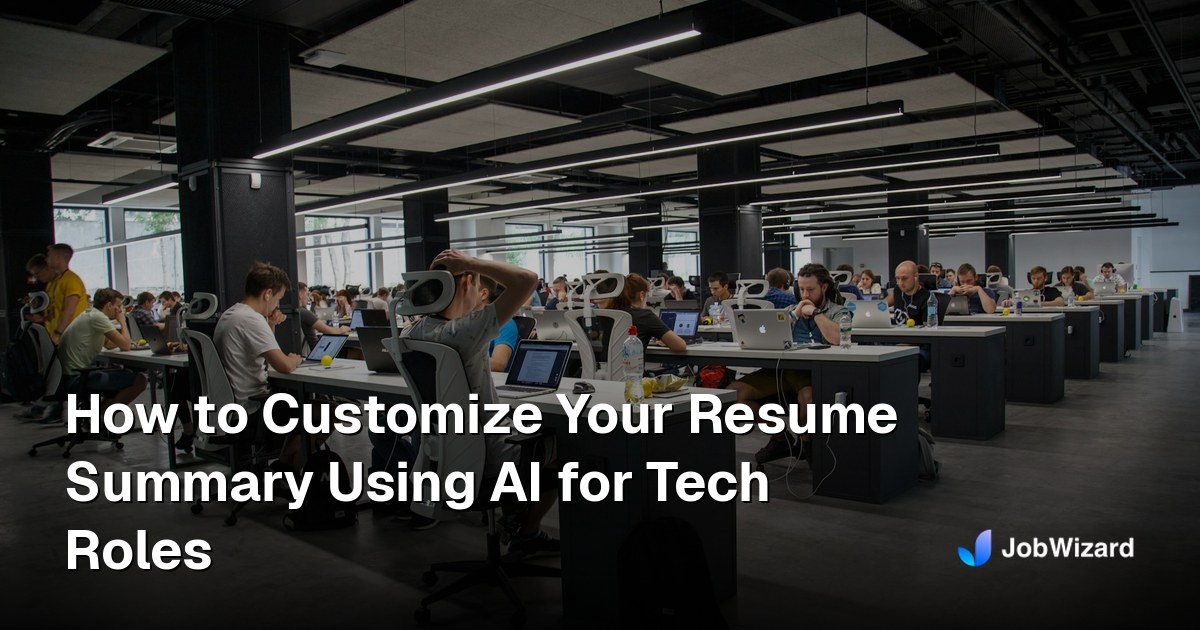
How to Customize Your Resume Summary Using AI for Tech Roles
How to Customize Your Resume Summary Using AI for Tech Roles If you’re applying to tech roles, your resume summary is one of the first things hiring managers—and ATS systems—see. Using AI resume summa...
Free Chrome extension
See your resume's match score for any job
JobWizard compares your resume to each job description and shows the exact keywords to add — free.
How to Customize Your Resume Summary Using AI for Tech Roles
If you’re applying to tech roles, your resume summary is one of the first things hiring managers—and ATS systems—see. Using AI resume summary customization can help you tailor a tight, keyword-rich summary that matches each job description fast, without sounding robotic. In this guide, you’ll learn a simple workflow to customize your resume summary using AI for tech roles (and how tools like JobWizard can make the whole application process smoother).
We’ll cover what to include, common mistakes, a practical step-by-step method, and how to align your summary with ATS keywords and the role you actually want. You’ll also get an example you can model, plus a quick checklist to use before you submit.
Why Your Resume Summary Matters for Tech Roles (ATS + Human Readers)
Your resume summary acts like a “preview” of your value. In tech hiring, it often answers questions like: Are you the right level? Do you have the relevant stack? Have you done similar work before? And can you communicate impact clearly?
At the same time, many applications go through ATS. If your summary doesn’t include the keywords the posting uses (for example: “React,” “AWS,” “system design,” or “Python”), you can lose points before a person even reads your resume.
So the goal of AI resume summary customization isn’t just rewriting—it’s targeting. A good AI-assisted summary helps you match the job’s language while staying honest about your experience.
Quick mindset shift: Don’t “make it prettier.” Make it more specific to the role.
What to Include in a Tech Resume Summary (The Winning Formula)
Most strong tech resume summaries follow a simple structure: role identity + core skills/stack + proof of impact + role fit. You can compress this into 3–5 lines, depending on the level (entry, mid, senior).
1) Role identity (your “target”)
Lead with what you are. Examples: “Software Engineer,” “Backend Engineer,” “Data Analyst,” “Cloud Engineer,” “ML Engineer,” or “Product Manager (Technical).” If you’re pivoting, you can frame it as “Data-focused software engineer” or “Technical support engineer transitioning to SRE.”
2) Core tech stack (keyword-rich, but real)
Pick 5–10 skills that map directly to the job description. For tech roles, this is where ATS alignment usually happens. For example:
- Frontend: React, TypeScript, Redux, testing (Jest/RTL)
- Backend: Python, Java, Node.js, REST APIs, SQL
- Cloud/DevOps: AWS, Terraform, Docker, CI/CD, observability
- Data/ML: Python, SQL, Spark, pandas, model evaluation
3) Proof of impact (numbers if possible)
Include at least one measurable outcome, like performance improvements, cost savings, adoption metrics, reliability changes, or time saved. Even if you don’t have perfect numbers, you can use credible ranges or clear outcomes.
Examples: “Reduced API latency by 35%” or “Improved CI pipeline time by 25%” or “Built ETL pipelines that processed X data daily.”
4) Fit for the role (how you work)
Finish with something that describes how you deliver: collaboration, ownership, experimentation, writing clean code, mentoring, shipping to production, or designing systems.
This is where AI can help you tailor wording to the job’s tone (startup fast-paced vs. enterprise structured) without changing your actual story.
How to Use AI for Resume Summary Customization (Step-by-Step Workflow)
Here’s a practical workflow you can repeat for every tech job. It’s designed to help you customize your summary quickly while keeping it accurate.
-
Copy the job description (or save the main responsibilities + requirements).
Focus on the “must-have” skills and the type of work they’re emphasizing. -
Extract your proof points.
Pull 2–4 accomplishments from your resume that match the job’s focus (for example: scale, reliability, user-facing impact, data pipelines, experimentation, or security). -
Identify the top 6–10 keywords.
Look for repeated terms across the listing. Include core tools and role-specific keywords (like “distributed systems,” “ETL,” “unit/integration testing,” “SLOs,” “dashboards,” or “feature flags”). -
Ask AI to draft 2–3 summary options.
Use a prompt that instructs AI to keep it concise, match keywords naturally, and avoid exaggeration. (More on prompt ideas below.) -
Replace any “iffy” claims.
If AI invents metrics or overstates tools you didn’t use, fix it. The best summaries are specific, not inflated. -
Final pass for ATS + readability.
Make sure the keywords appear naturally and your summary still sounds like you. Aim for 3–5 lines.
Prompt ideas you can copy-paste
You can use AI in your editor, resume tool, or a general assistant. Here are a few prompt templates. Replace the bracketed sections with your info.
Prompt #1 (role + stack + impact):
“Rewrite my resume summary for a [role] role. Use a 3–5 line format. Include these keywords naturally: [keyword list]. My strongest proof points are: [impact 1], [impact 2], [impact 3]. Keep it truthful and specific. Don’t invent metrics. Tone: confident, concise.”
Prompt #2 (seniority adjustment):
“Customize my resume summary for a [seniority level] [tech role]. Emphasize [leadership/ownership/mentoring/design]. Include these technologies: [stack]. Keep it ATS-friendly and under 80–120 words.”
Prompt #3 (career pivot):
“I’m applying for [target role] but my background is [current background]. Write a resume summary that connects my experience to the target. Include keywords: [keywords]. Highlight transferable skills and relevant projects: [project/accomplishment]. Avoid exaggerating.”
ATS Keyword Alignment Without Sounding Like a Robot
One of the biggest downsides people experience with AI is that it can generate language that feels generic. For tech roles, “worked on X” doesn’t land as strongly as “built X to solve Y.”
Here’s how to keep ATS alignment while maintaining a human tone.
Use the job’s exact keywords, but earn them with context
Let the keywords appear in a sentence that includes a real outcome. Instead of just listing tools, attach each skill to what you did.
- Weak: “Experienced with AWS and Docker.”
- Stronger: “Built and operated services on AWS using Docker, improving reliability and deployment speed.”
Prioritize keywords you can actually back up elsewhere
Your summary should match the rest of your resume. If your summary claims “Kubernetes” but your experience section never mentions it, you’ll confuse both ATS and recruiters. Make sure the summary is consistent with your bullet points and projects.
Avoid keyword stuffing (ATS won’t save generic resumes)
Yes, ATS cares about keywords. But it also looks at structure and clear relevance. A summary that reads like a list can reduce credibility. Use 5–10 core terms and keep the rest of the sentence human.
Rule of thumb: If you wouldn’t say it out loud in an interview, don’t write it in your summary.
Examples: AI-Customized Resume Summaries for Common Tech Roles
Below are a few example templates you can use as inspiration. Replace the bracketed parts with your real details and metrics.
Example 1: Backend Engineer (mid-level)
Summary draft: “Backend Engineer with 4+ years building APIs and data services in Python and SQL. Designed and improved REST systems to support high-traffic features, reducing latency by [X%]. Experienced with AWS, Docker, and CI/CD workflows, focusing on reliability, observability, and clean engineering practices.”
Example 2: Frontend Engineer
Summary draft: “Frontend Engineer specializing in React and TypeScript, building responsive user experiences and maintainable UI systems. Shipped features using component-driven development and performance optimization, improving load times by [X%]. Strong foundation in testing with Jest and modern state management, with a track record of collaborating closely with design and backend teams.”
Example 3: Data Analyst / Data Engineer (hybrid)
Summary draft: “Data-focused engineer and analyst with experience in SQL, Python, and ETL workflows. Built dashboards and pipelines that turned raw datasets into actionable reporting, improving decision speed by [X]. Comfortable with data modeling, data quality, and stakeholder communication to deliver reliable metrics.”
Example 4: SRE / DevOps (reliability-first)
Summary draft: “Reliability Engineer/SRE with hands-on experience in AWS, Terraform, Docker, and incident response. Improved uptime and reduced MTTR by [X] through monitoring, alert tuning, and automation. Focused on SLO-driven operations, scalable deployments, and continuous improvement across engineering teams.”
If you want to make these examples even closer to the job, use AI to tailor keywords and outcomes to the exact posting. That’s the real win of AI resume summary customization.
How JobWizard Helps You Apply Faster (Not Just Rewrite)
Customizing your summary is huge—but you still have to submit applications, fill forms, and keep everything consistent. This is where JobWizard can make your job search feel way less exhausting.
JobWizard is an AI-powered Chrome extension that:
- Autofills ATS application fields based on your resume data
- Uses a match score so you can see how aligned your resume is to the role
- Helps optimize your resume so your content stays ATS-friendly
- Finds referrals (so you’re not just applying into the void)
- Generates cover letters that match the job tone and key requirements
Think of it like this: AI helps you customize the story. JobWizard helps you execute the application fast and accurately. Together, you spend less time on busywork and more time on high-quality applications—which is what actually gets interviews.
Want to improve your bullet points too? Check out our guide on optimizing tech resume experience sections for ATS.
Resume Summary Customization Checklist (Before You Submit)
Use this quick checklist every time. It’s fast, but it catches the mistakes that cost you callbacks.
- Is the summary targeted to the specific role (backend, frontend, SRE, data, ML, etc.)?
- Did you include 5–10 relevant keywords from the job description?
- Are the claims backed up in your experience/projects?
- Is there at least one impact proof point (ideally with numbers)?
- Does it sound like you (no overhyped or invented claims)?
- Have you kept it concise (roughly 80–140 words, depending on your level)?
If your summary passes these tests, you’re in a great spot to apply confidently—and quickly.
Do this automatically with JobWizard
Skip the manual work — JobWizard's Smart Autofill handles this for you.
FAQ: AI Resume Summary Customization for Tech Roles
Should I use the job title exactly in my resume summary for tech roles?
Usually, yes. If the job is “Backend Engineer,” leading with “Backend Engineer” helps ATS and recruiters quickly understand your target. If you’re pivoting, you can still use the target title while emphasizing transferable experience.
How long should a tech resume summary be?
A good range is about 80–140 words (often 3–5 lines). Keep it concise and packed with relevant skills and impact, especially for early-career and mid-level roles.
Can AI help me match ATS keywords without stuffing my resume?
Yes—if you prompt AI to write naturally and to tie keywords to outcomes. Aim for 5–10 key terms and ensure your resume sections (experience/projects) support them.
What if my resume doesn’t have metrics—can I still customize with AI?
Absolutely. Use qualitative impact (reduced errors, improved reliability, streamlined workflows, improved adoption) and include scope details (users, services, throughput, time saved) when you can. AI can help phrase these clearly, as long as you stay truthful.
How does JobWizard fit into the resume customization process?
JobWizard helps you apply faster by autofilling ATS forms using your resume data, plus it supports resume optimization with match scores. After you customize your summary, JobWizard makes the submission part much less time-consuming.
Ready to apply faster with a summary that actually matches the role? Try JobWizard to customize your tech job search workflow—autofilling ATS forms, optimizing your resume for better matches, and generating tailored cover letters so you can focus on the applications that win interviews.
See your resume's match score for any job
JobWizard compares your resume to each job description and shows the exact keywords to add — free.